




Roaya Real Estate
A bilingual brokerage platform: a map-led public website that sells 14 master projects across 6 Egyptian cities, and behind it a CRM, a contract builder, a catalogue and a CMS that publishes to the site in two languages.
Sold
Owners
Projects
Installments
A Brokerage That Sells On Numbers, Not Pressure
Roaya needed a public website that could make buying property in Egypt feel clear instead of confusing — and an operating system behind it that turns every visitor into a tracked lead, a deal and finally a signed contract.
Buyers here compare on the same four things: which project, which developer, how much per square metre, and how long the installment plan runs. The site had to put all four in front of them immediately, in Arabic or English, and the panel behind it had to keep the catalogue, the pipeline and the website copy on a single source of truth.
- A map-led storefront where price and location are the entry point.
- A comparable catalogue of 14 master projects and 12 vetted developers.
- A CRM that carries a lead from first inquiry to signed contract.
- A CMS and a translation layer the team runs without a developer.
What Makes Buying Property Hard
Three gaps sit between an interested buyer and a signed unit — and all three of them are information problems.
Prices, unit sizes, delivery dates and payment plans lived across brochures and WhatsApp threads, so no two projects were ever compared on the same terms.
Inquiries arrived by phone, form and walk-in with nothing tracking who followed up, what stage a deal reached, or why it stalled.
Egyptian buyers move between Arabic and English mid-search. Two half-maintained versions of a site is worse than one, so the language layer had to be structural.
One Platform, Two Surfaces
We shipped a public website and an operating panel on one database. A project edited in the catalogue changes on the storefront; a form filled on the storefront appears in the inbox; a contract is generated from the same record that closed the deal.
Price pins on the real coastline, with a project card one tap away — search begins from where the buyer wants to live.
14 master projects and 12 developers held to the same fields, so price, area and delivery compare honestly.
Inquiries, deals, clients and contracts in one funnel — every lead has a stage, an owner and a next action.
A purchase contract generated from the deal record, previewed live as the form is filled, ready to print and sign.
Website copy edited section by section against a live render, autosaved as a draft and released only on publish.
A keyed translation layer covering all 1,463 strings in the site and the panel, managed from one screen.
Every public screen, explained.
11 surfaces on roaya-realestate.com — the storefront a buyer actually moves through, from the map to the contact form. Click any screen to open it full size.
Home — Header & Hero Search
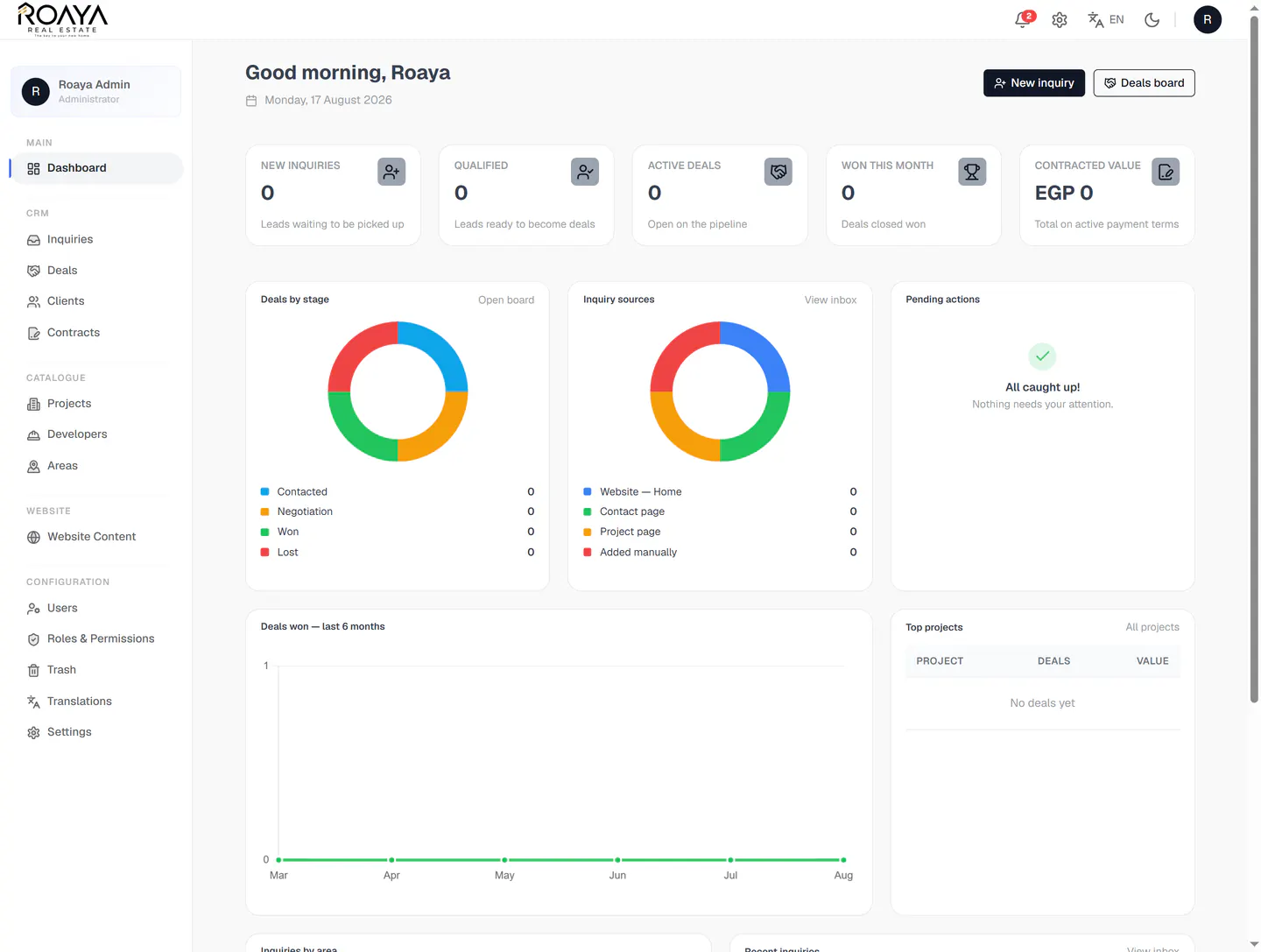
The landing view. A sticky pill navigation, an Arabic/English switch and a Register Interest call to action sit above a hero that opens straight onto search — budget and project selectors floating over an interactive map of the North Coast.
- Sticky pill navigation: Home, Projects, Developers, About
- Arabic and English switch built into the header
- "Now selling across Egypt" status badge
- Budget and project selectors with one-tap search
Home — Interactive Map & Price Pins
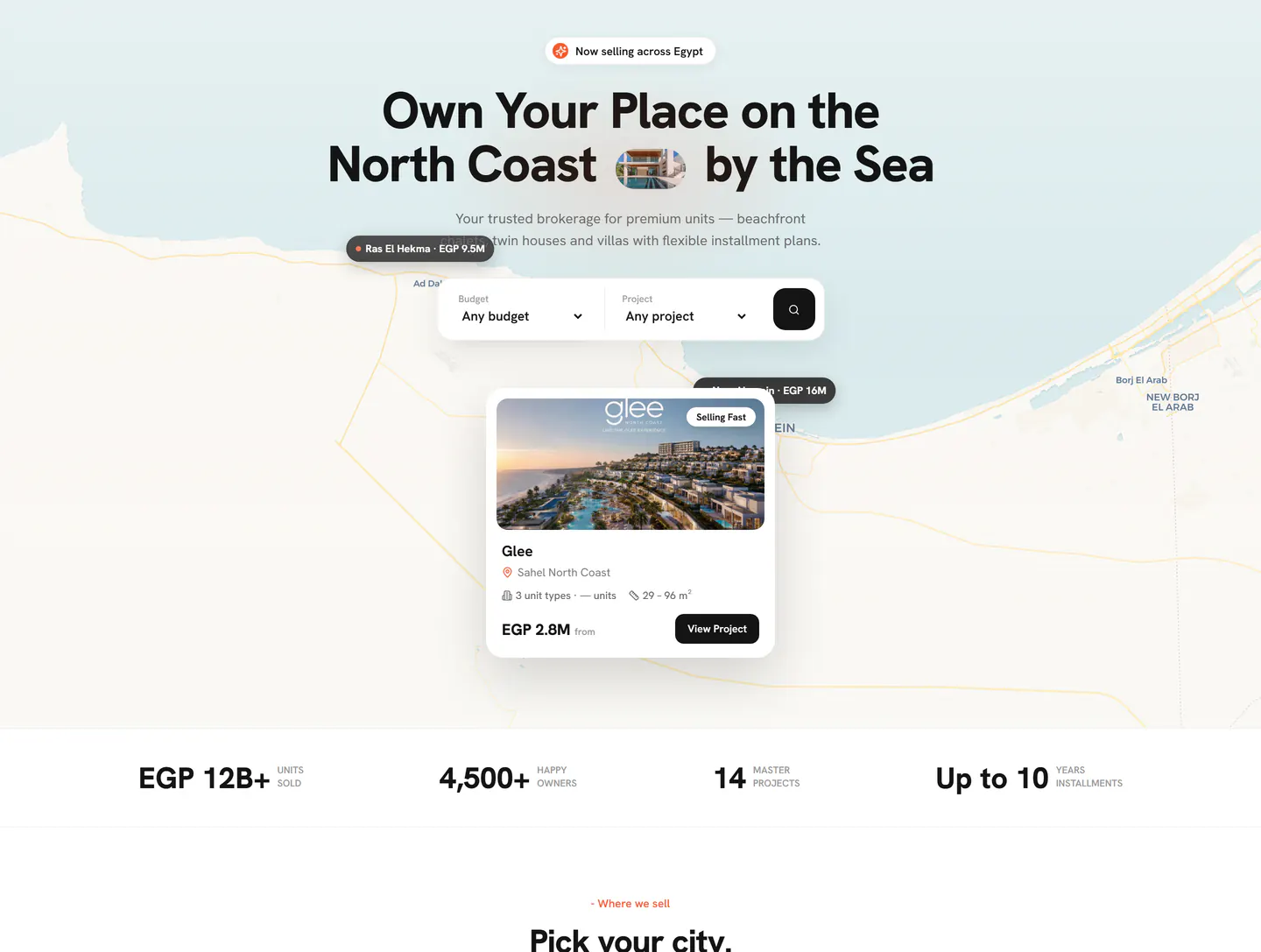
The map is the product. Price pins sit on the real coastline — Ras El Hekma at EGP 9.5M, New Alamein at EGP 16M — and opening one brings up a full project card without leaving the page.
- Price pins plotted on the real North Coast map
- Floating project card: cover, area, unit types and size range
- "Selling Fast" flag with a starting price and a direct link
- Stat strip: EGP 12B+ sold, 4,500+ owners, 14 projects, 10-year plans
Home — Pick Your City
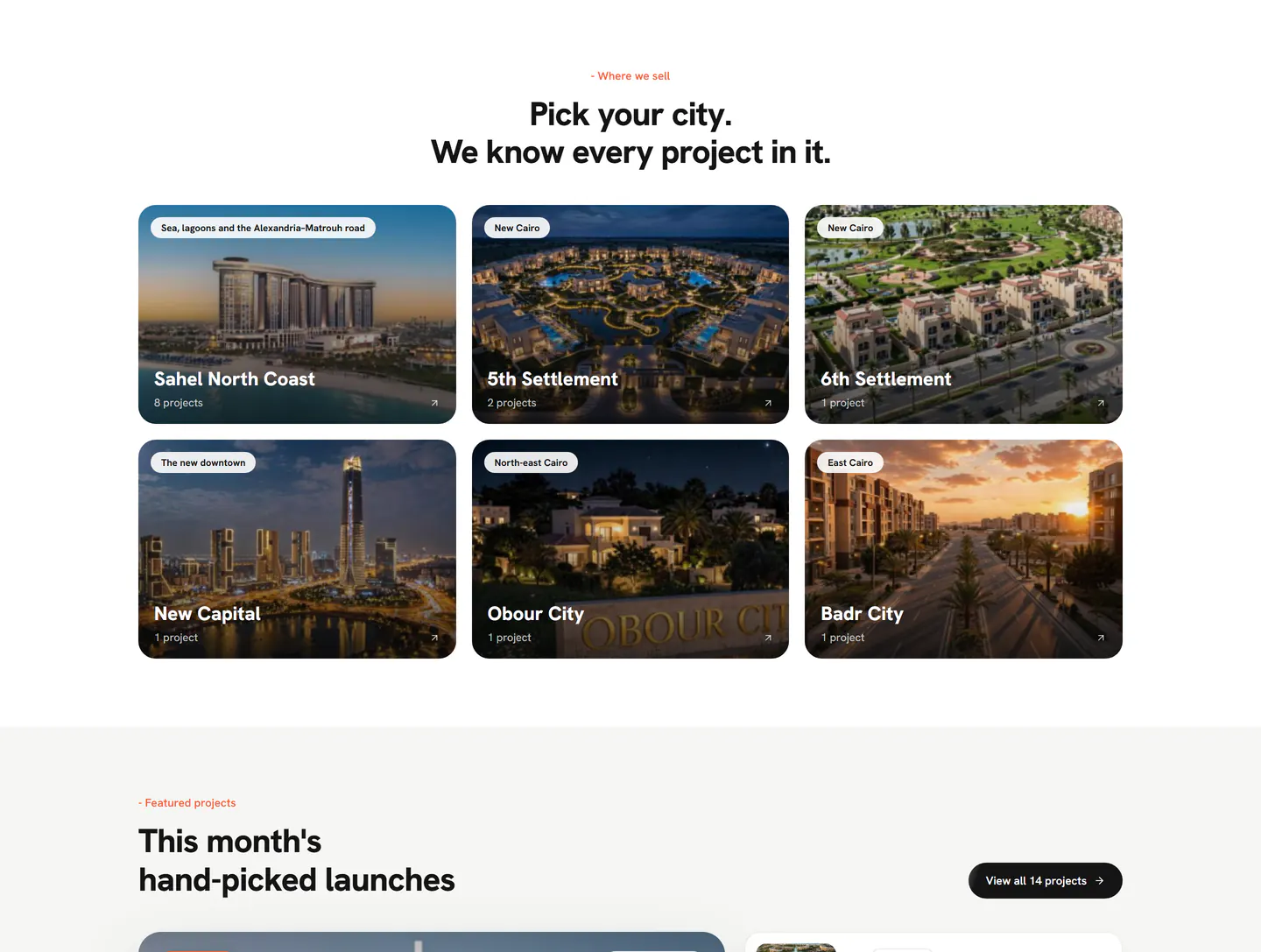
"Pick your city. We know every project in it." Six destination cards each carry a real photograph, a location tagline and a live project count, so a buyer can start from geography instead of a filter form.
- Six destinations, from Sahel North Coast to Badr City
- Live project count on every card — Sahel carries eight
- Location tagline chip: "Sea, lagoons and the Alexandria–Matrouh road"
- Photographic cards with a scrim so the label stays readable
Home — Hand-Picked Launches
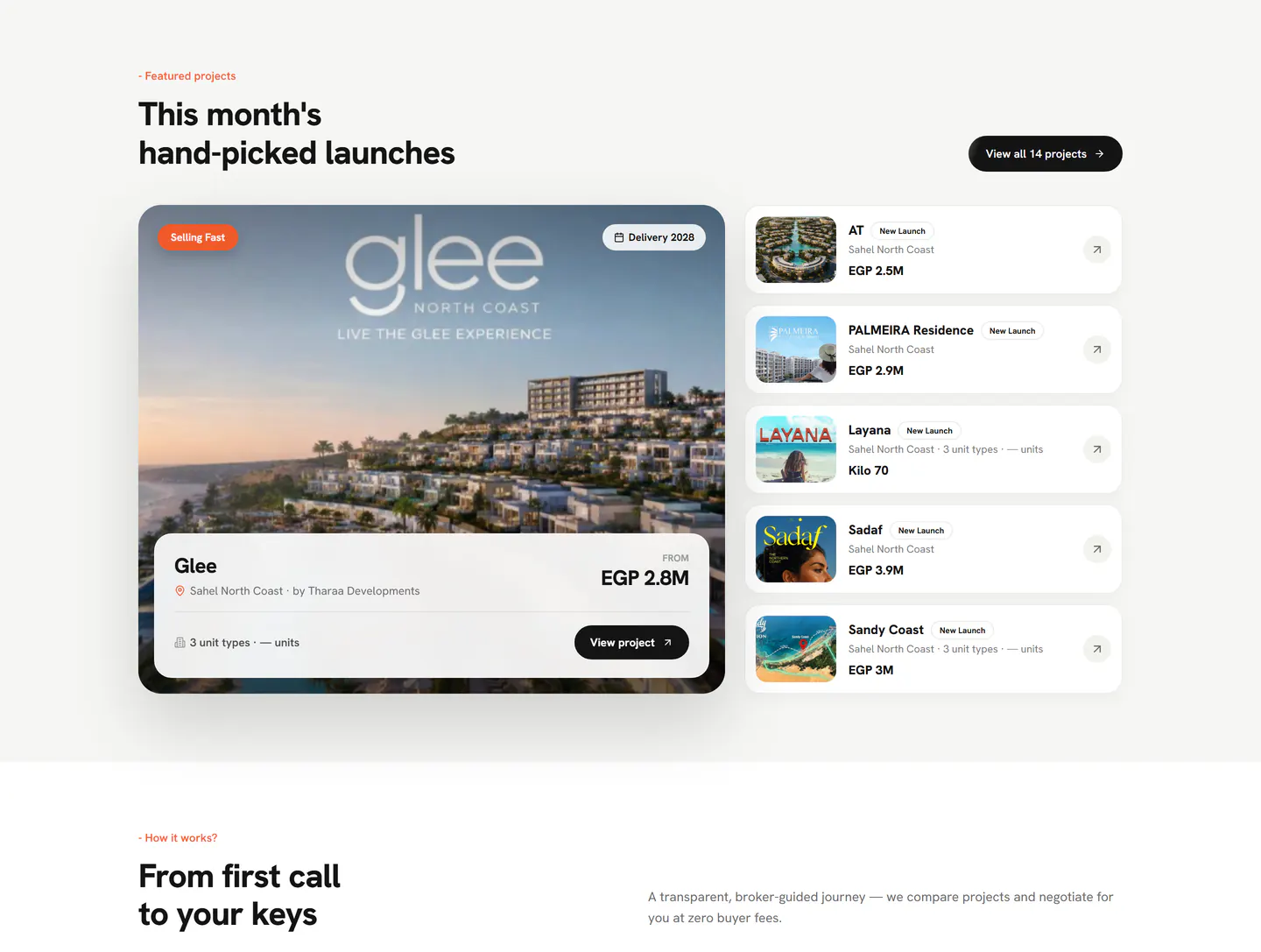
"This month's hand-picked launches" pairs one large featured project against a scannable shortlist beside it — every entry priced, badged and one tap from its own page.
- Feature card: Glee — Sahel North Coast, by Tharaa Developments, from EGP 2.8M
- "Selling Fast" and "Delivery 2028" flags on the feature
- Shortlist rail: AT, PALMEIRA Residence, Layana, Sadaf, Sandy Coast
- A single path onward — "View all 14 projects"
Home — How It Works
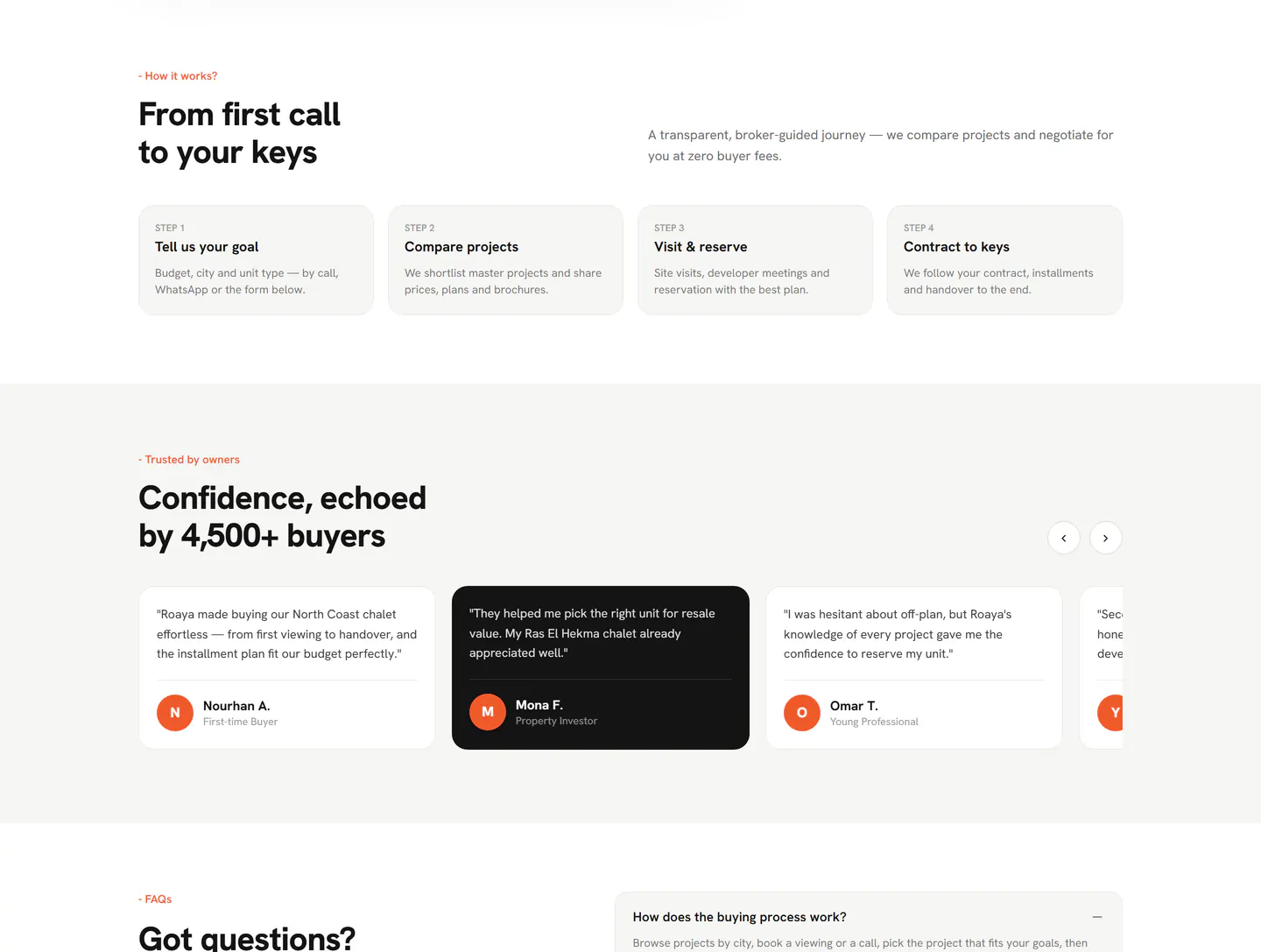
"From first call to your keys" states the brokerage journey in four numbered steps, so a first-time buyer knows exactly what happens next — and what it costs them, which is nothing.
- Step 1 — Tell us your goal: budget, city and unit type
- Step 2 — Compare projects: shortlists, prices, plans and brochures
- Step 3 — Visit and reserve: site visits and developer meetings
- Step 4 — Contract to keys: installments and handover followed to the end
Home — Buyer Testimonials
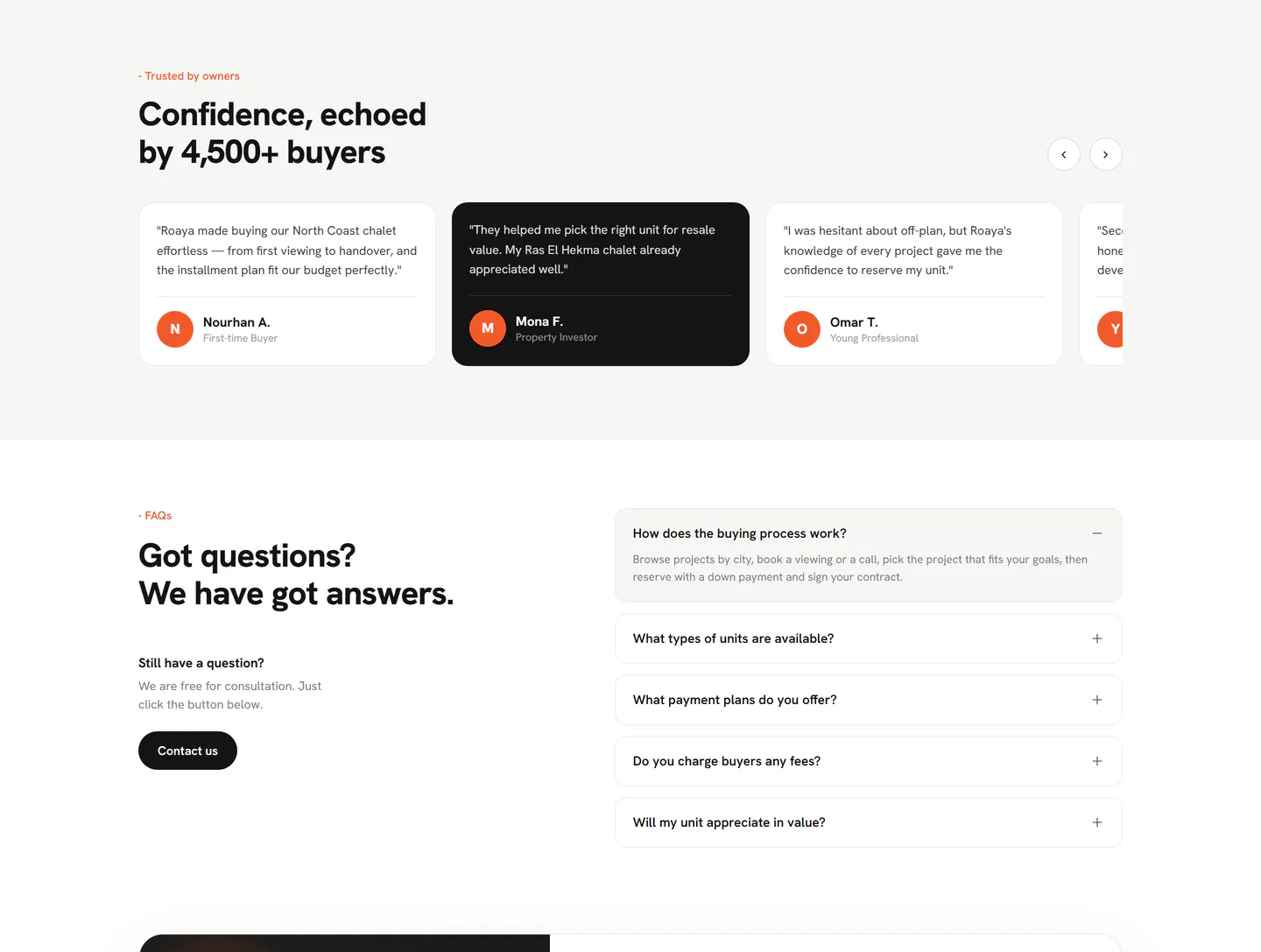
"Confidence, echoed by 4,500+ buyers." A horizontal testimonial rail where every quote carries a name, an initial avatar and the buyer type — with one card inverted to black to mark the active position.
- Named quotes with buyer type: first-time buyer, investor, professional
- Initial avatars in the brand orange
- One inverted card marks position on the rail
- Previous and next controls on a swipeable track
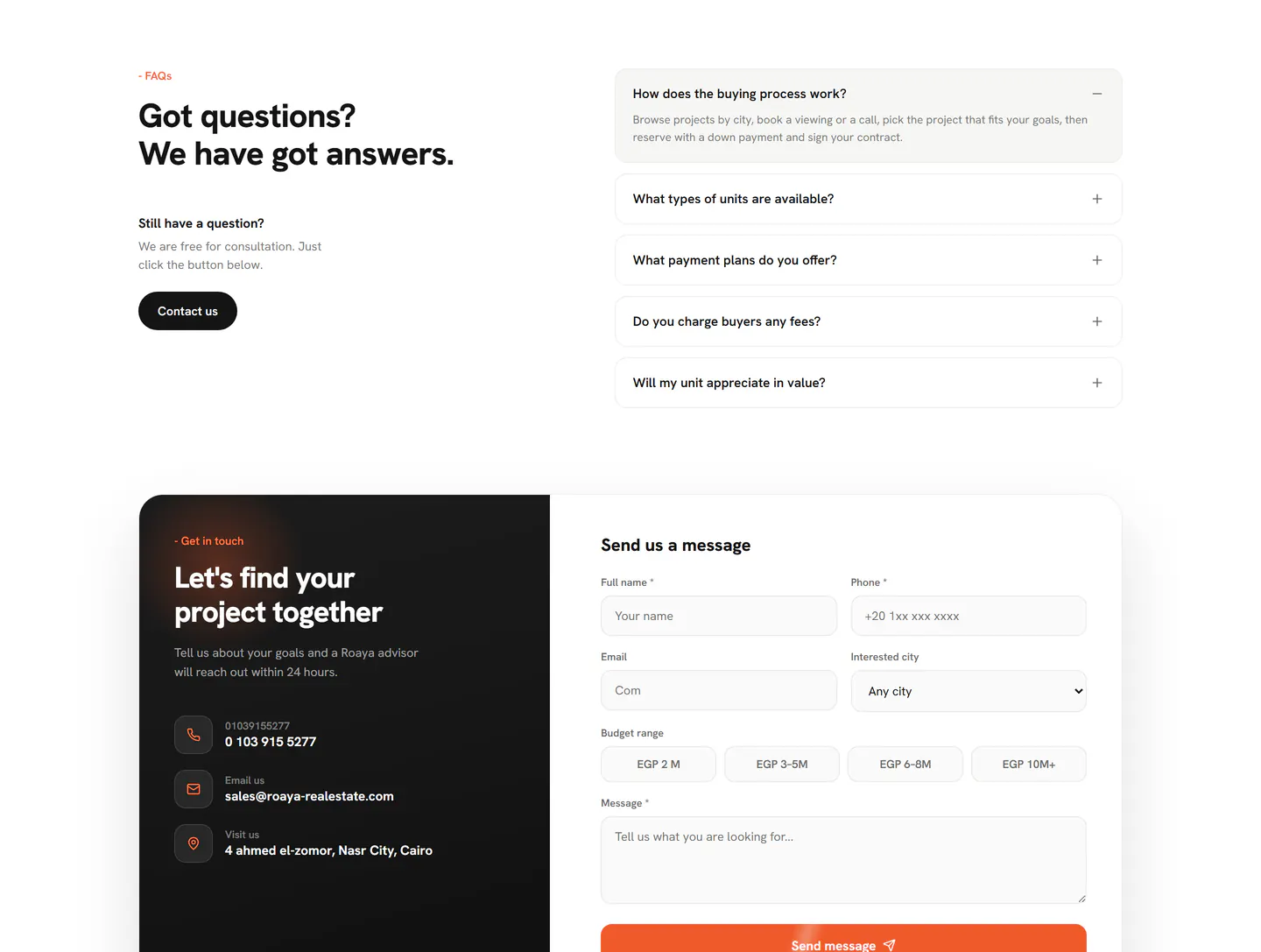
Home — Frequently Asked Questions
"Got questions? We have got answers." Five accordions cover the questions that actually block a purchase — process, unit types, payment plans, fees and resale value — with a direct contact route beside them.
- Five expandable questions, the first open by default
- Buying process, unit types, payment plans, fees and appreciation
- "Do you charge buyers any fees?" answered up front
- "Still have a question?" panel with a Contact us button
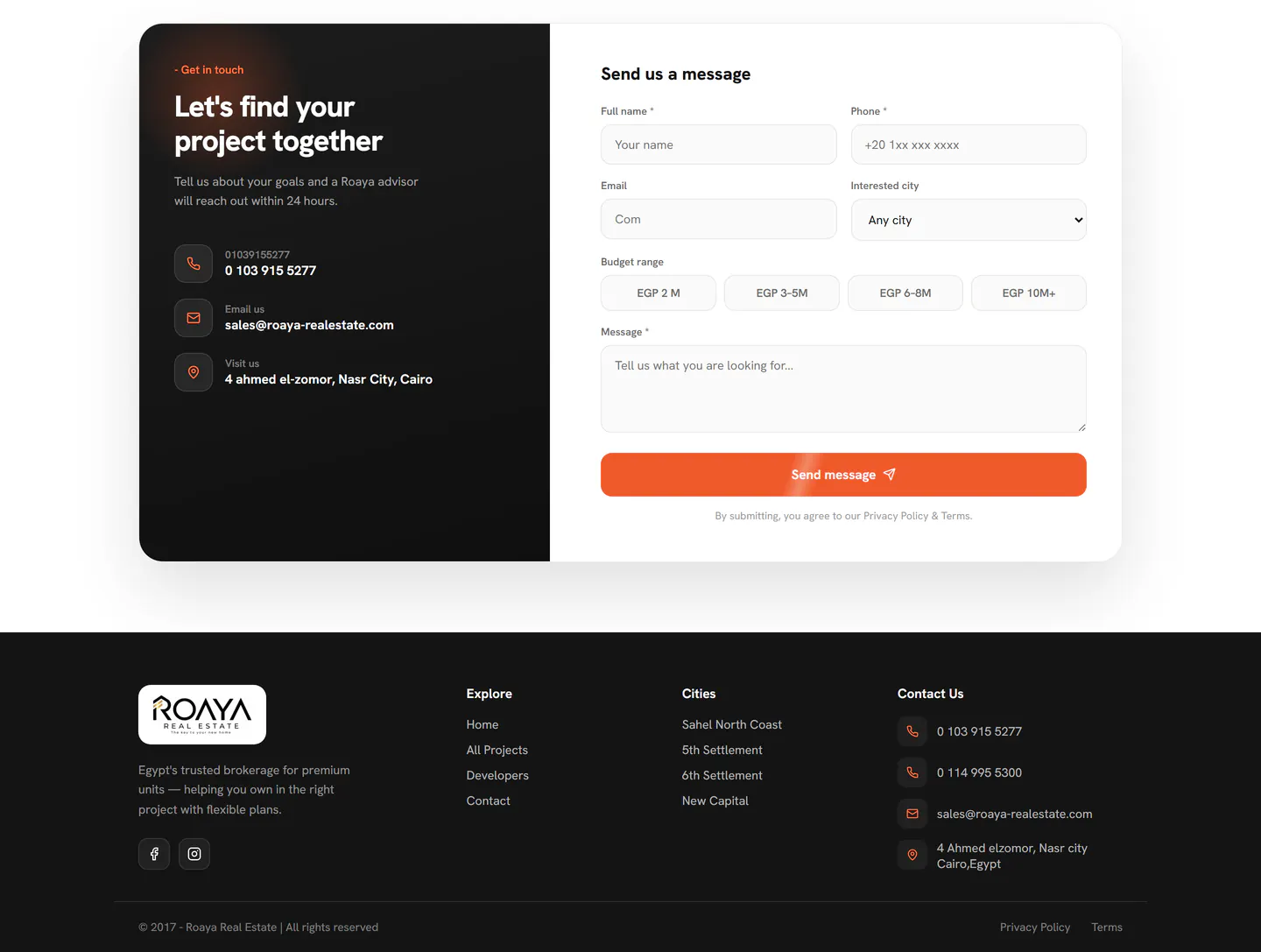
Home — Contact & Footer
The closing block sets a black contact panel — two phone lines, email and the Nasr City office — against a form that qualifies the lead rather than just collecting a name.
- Contact panel: phone, email and office address
- Form captures full name, phone, email and interested city
- Budget range picked from four bands, EGP 2M to 10M+
- Footer: explore links, city links, contact block and social
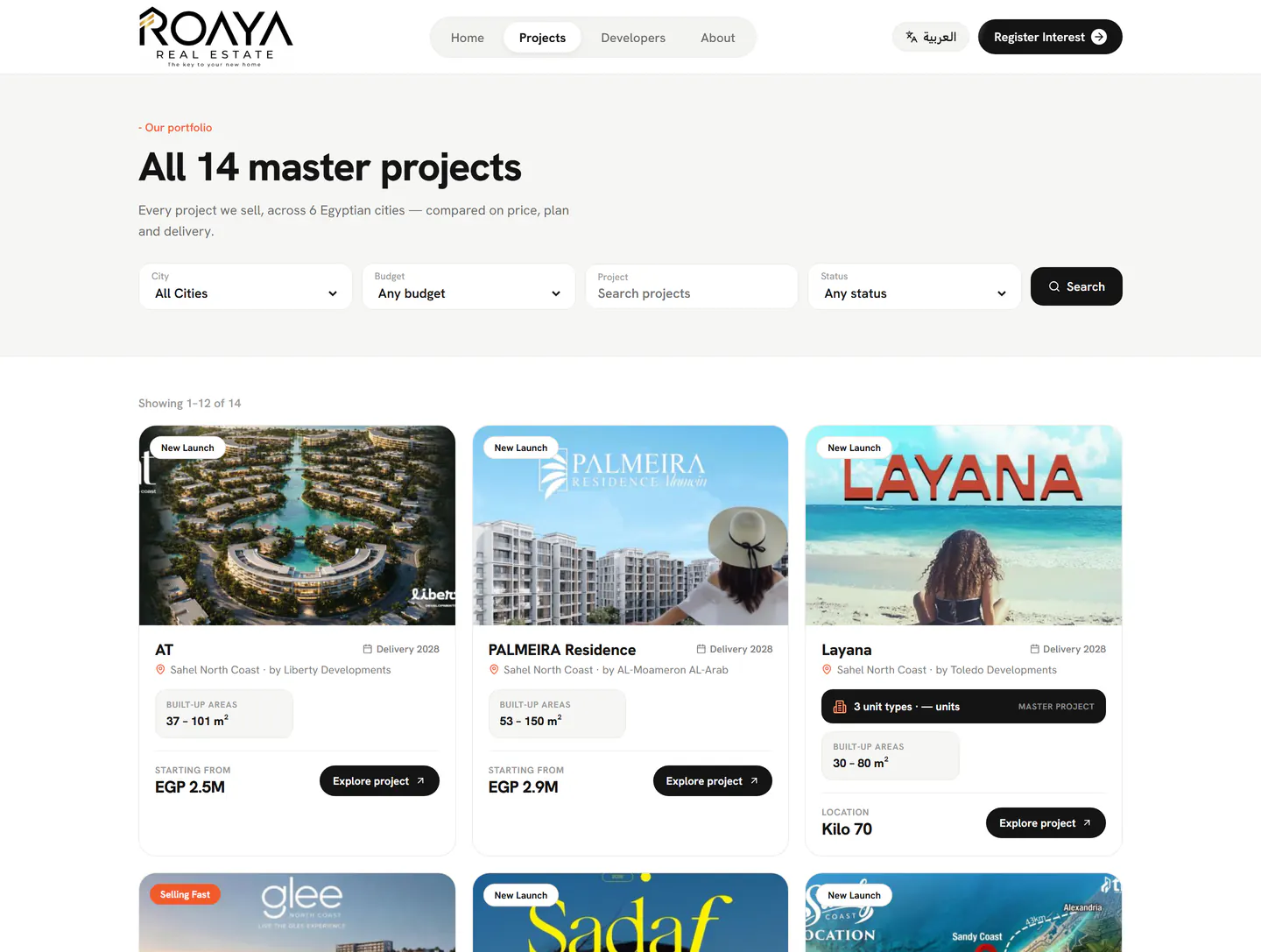
Projects — The Full Catalogue
"All 14 master projects", behind a four-field filter bar. Every card is comparable at a glance: developer, area, built-up range, delivery year and a starting price — the numbers a buyer actually compares on.
- Filter by city, budget, project name and status
- "Showing 1–12 of 14" with pagination
- Each card: developer, area, built-up area range and delivery year
- Status flags — New Launch, Selling Fast, Master Project
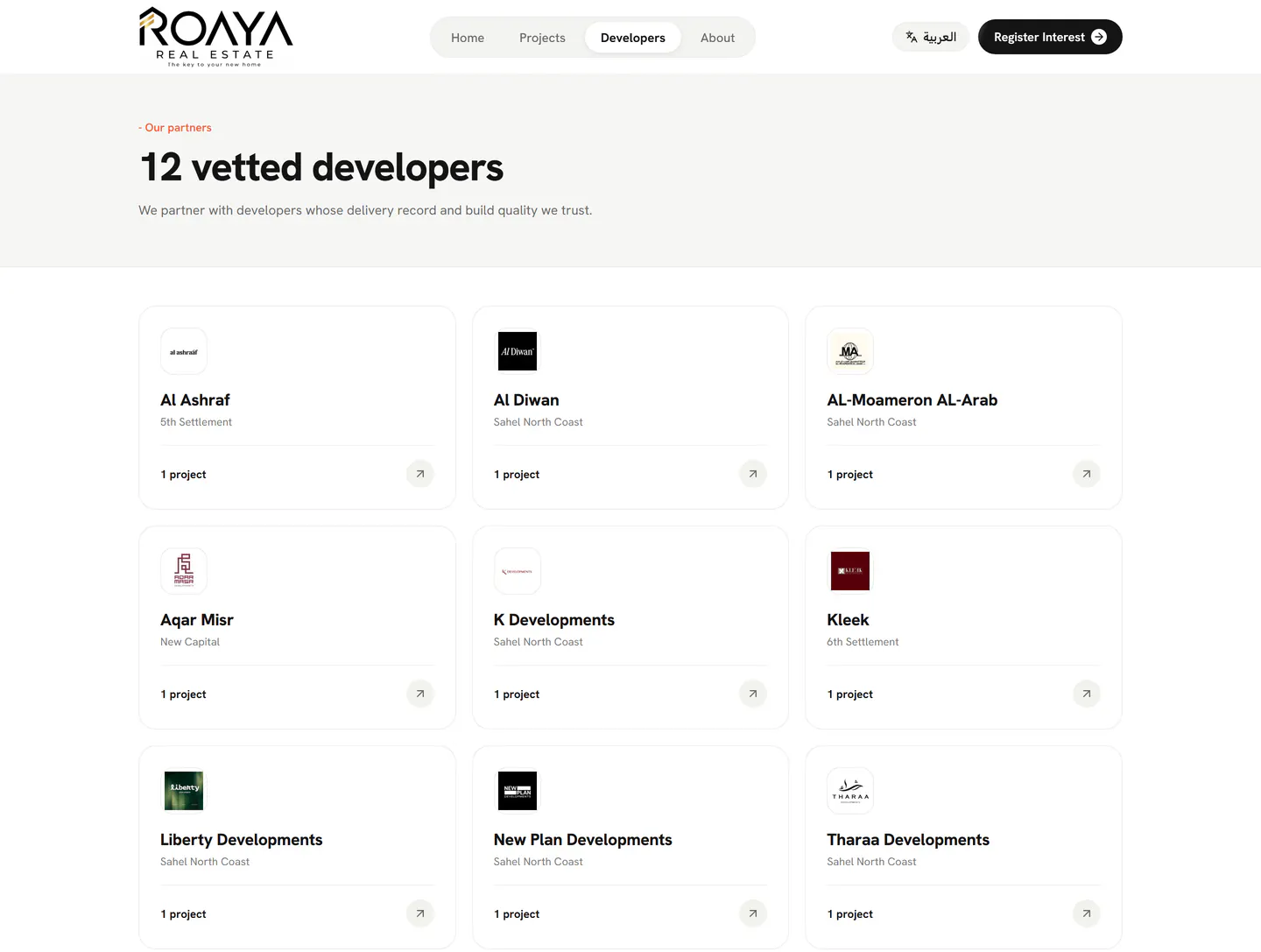
Developers — The Partner Roster
"12 vetted developers." One card per partner with its logo, primary area and project count — positioned as a trust surface rather than a directory, because in this market the developer is half the decision.
- Twelve partner developers, each with logo and primary area
- Live project count per developer
- "Developers whose delivery record and build quality we trust"
- Every card links through to that developer's projects
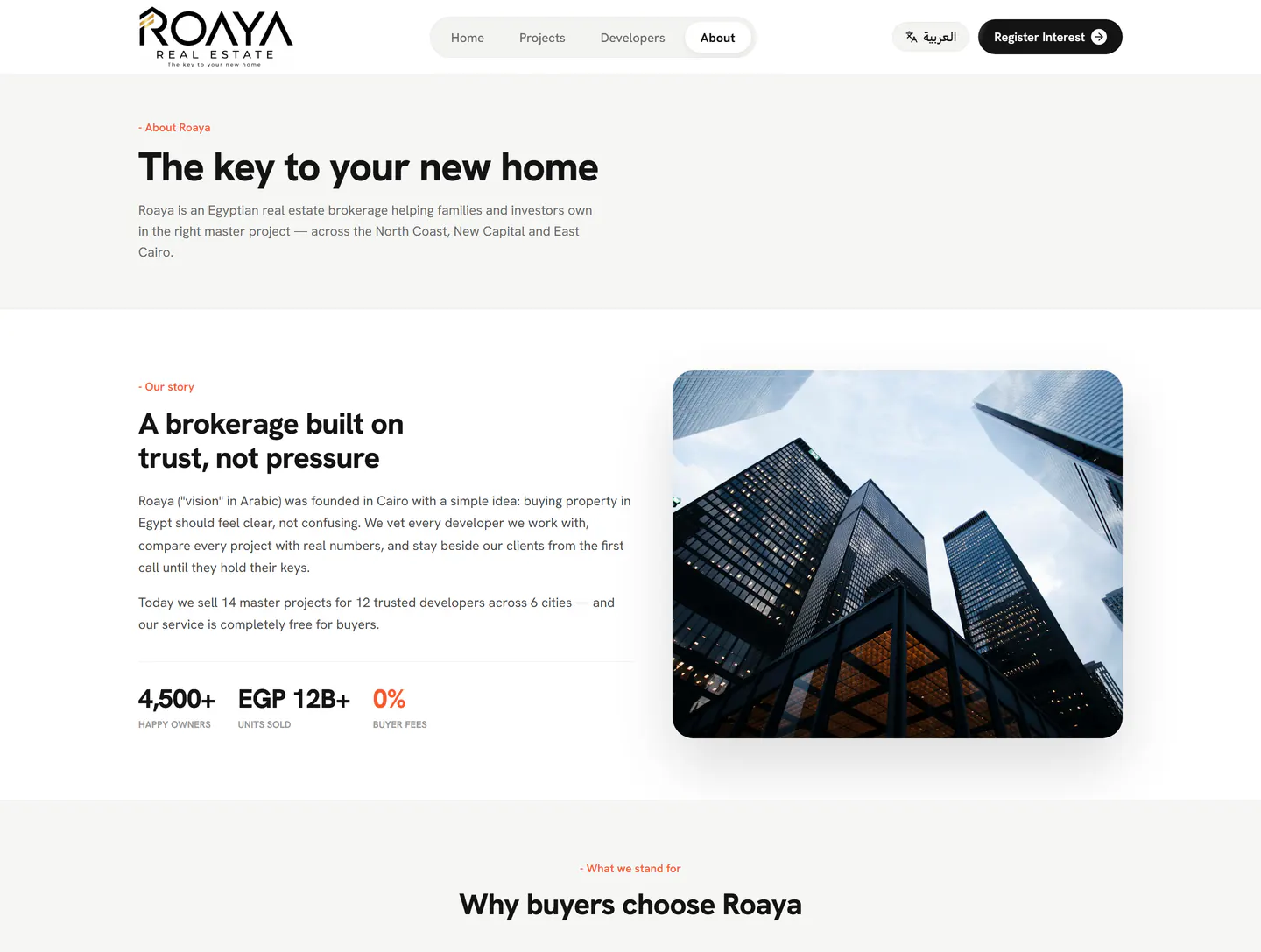
About — The Brokerage Story
"The key to your new home." The brand story, what Roaya means, how the brokerage works with buyers, and the three numbers that matter most — including a 0% buyer fee.
- "A brokerage built on trust, not pressure"
- Roaya — "vision" in Arabic — founded in Cairo
- 4,500+ happy owners · EGP 12B+ units sold · 0% buyer fees
- "Why buyers choose Roaya" value section beneath
We vet every developer we work with, compare every project with real numbers, and stay beside our clients from the first call until they hold their keys.
Every admin screen, explained.
10 surfaces behind the login — the CRM funnel, the catalogue the website reads from, the CMS that publishes it, and the configuration that keeps both languages in sync.
Dashboard — The Morning View
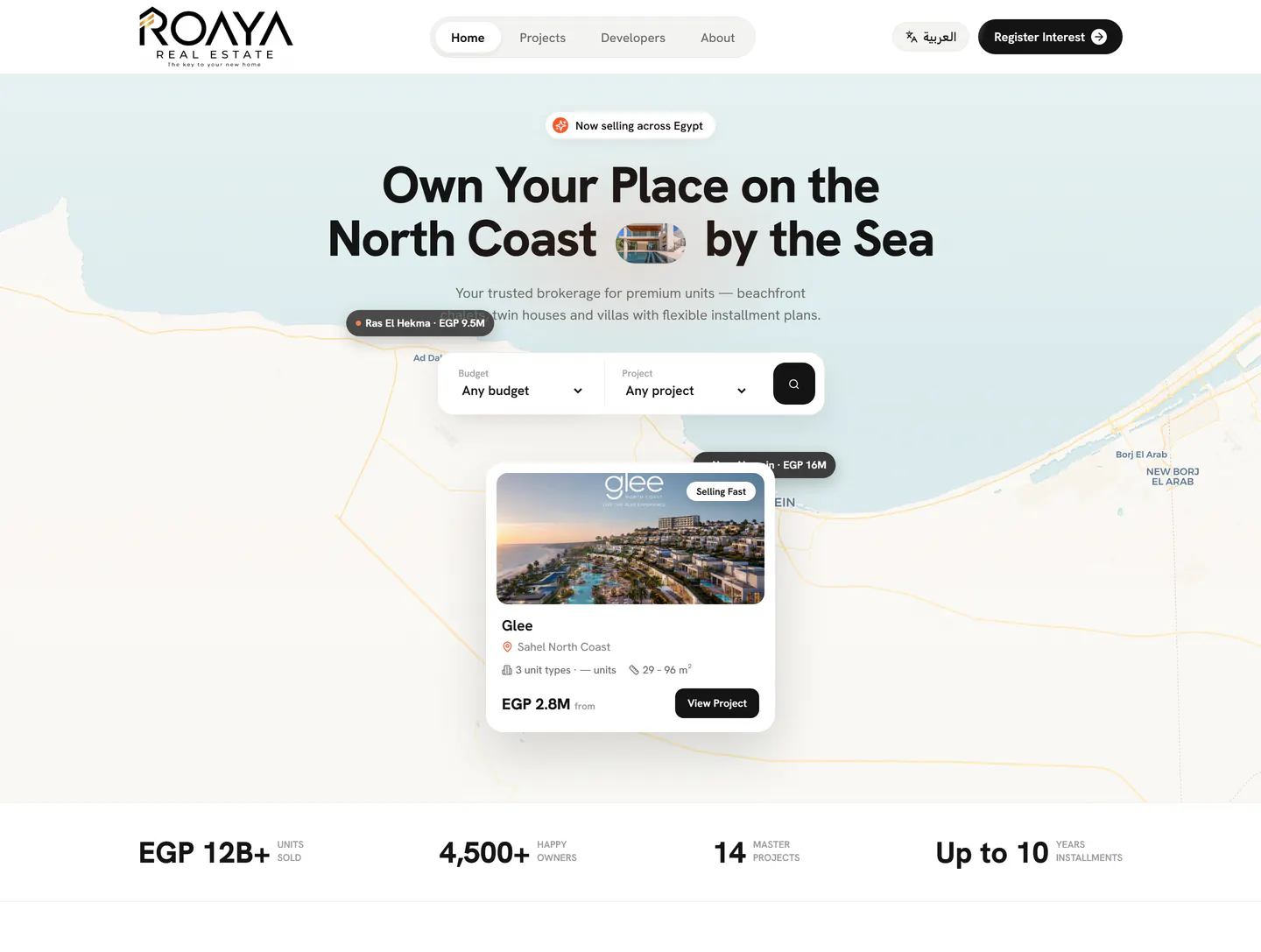
A greeting, the date, and five counters that answer "what needs me today": new inquiries, qualified leads, active deals, deals won this month and total contracted value. Two donuts break the pipeline down by stage and by lead source, over a six-month won-deals trend.
- Five KPI tiles, including contracted value in EGP
- Deals by stage: contacted, negotiation, won, lost
- Inquiry sources: website home, contact page, project page, manual
- Pending actions panel, top-projects table and quick actions
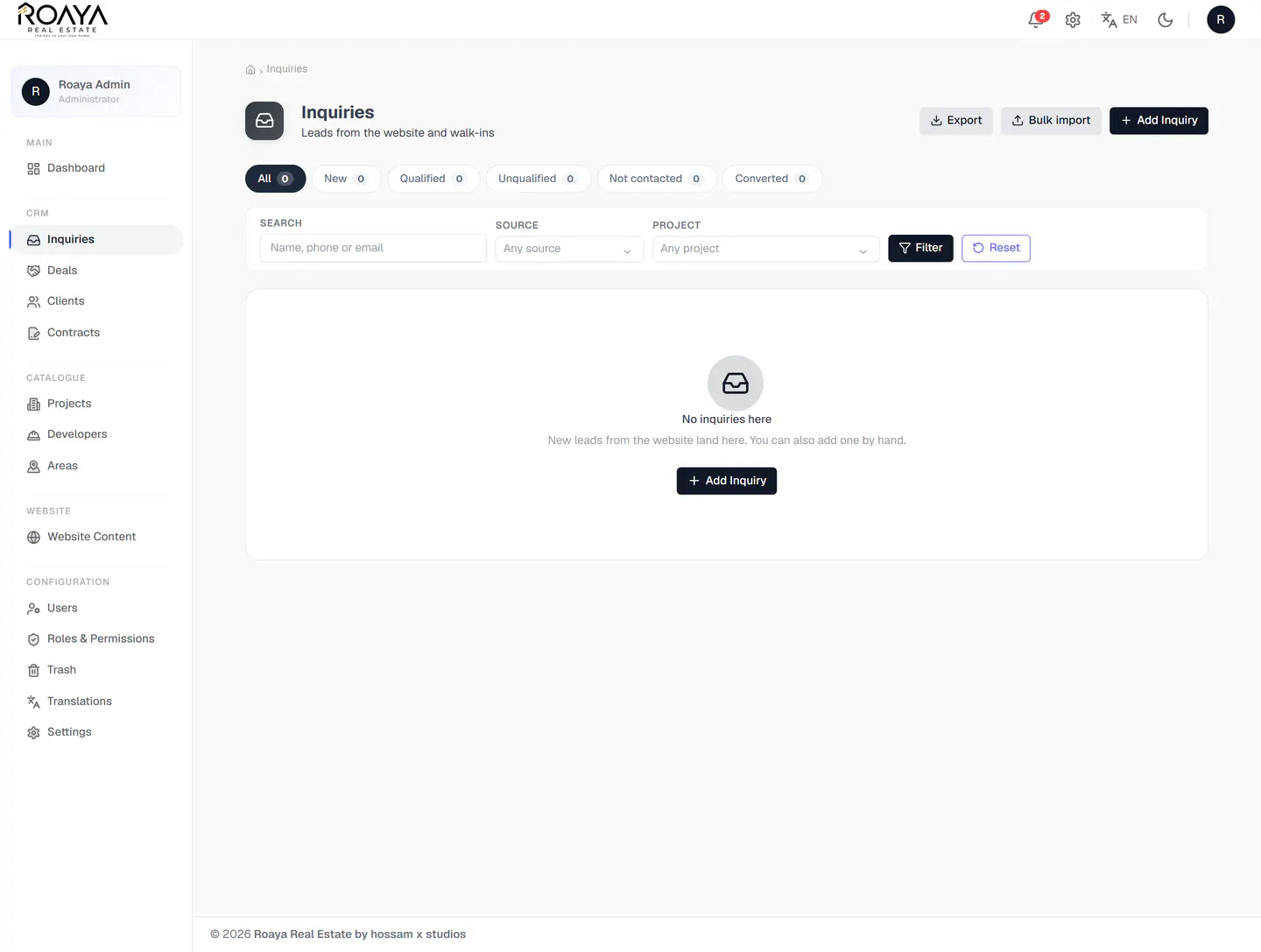
CRM — Inquiries Inbox
Every lead from the website and every walk-in lands here. Status tabs carry live counts, a three-field filter narrows the list, and the empty state tells a new user what to do instead of showing a blank table.
- Status tabs with counts: All, New, Qualified, Unqualified, Not contacted, Converted
- Filter by name, phone or email, plus source and project
- Export and bulk import for offline lead lists
- Guided empty state with a direct Add Inquiry action
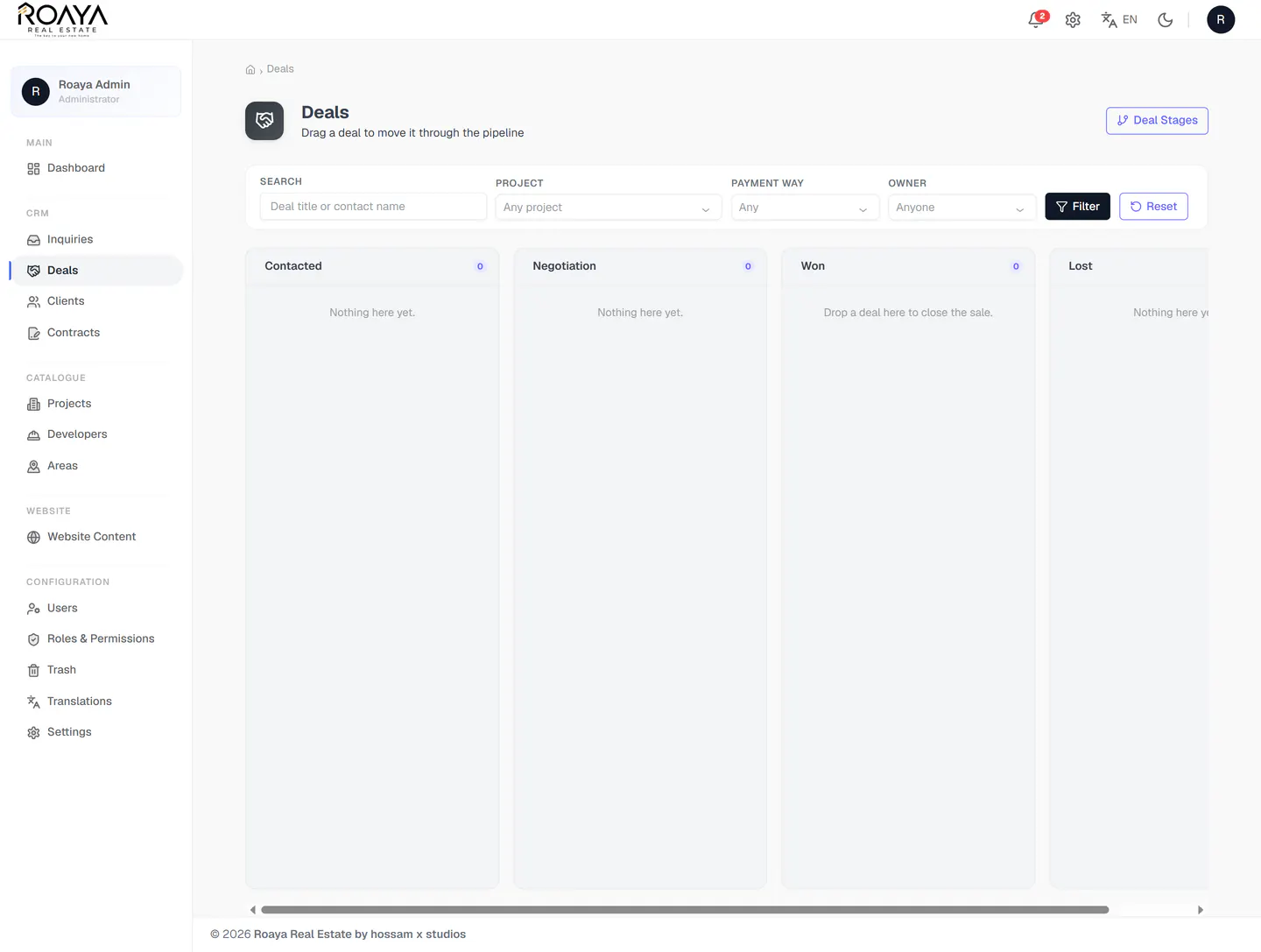
CRM — Deals Pipeline
A drag-and-drop board where moving a card moves the deal. Four lanes, live counts in every column header, and each lane states its own drop hint so the board explains itself.
- Four-stage board: Contacted, Negotiation, Won, Lost
- Drag a card to change stage — counts update per column
- Filter by project, payment way and deal owner
- Stages themselves are configurable
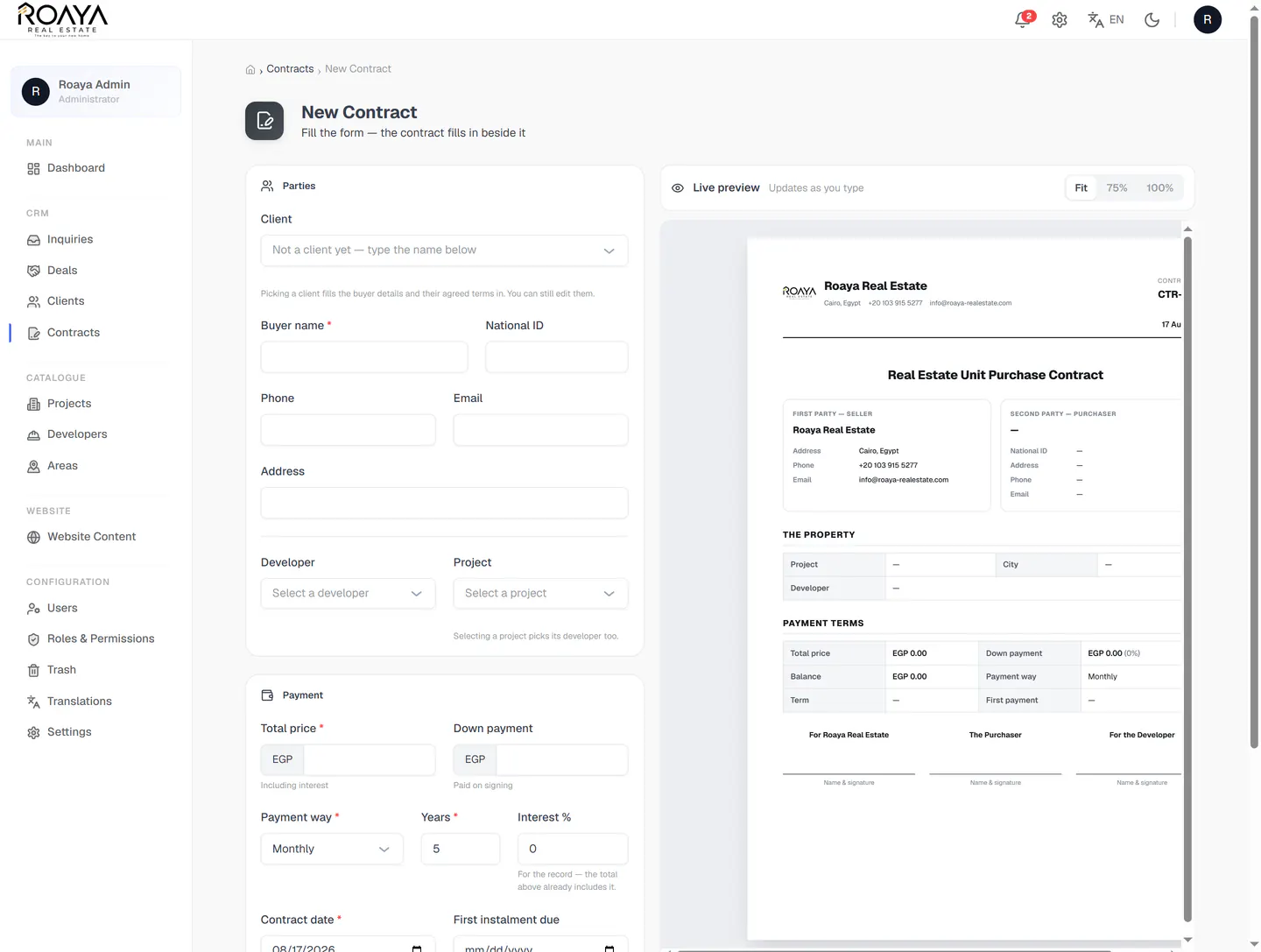
Contracts — Builder with Live Preview
The form on the left, the real contract document on the right, updating as you type. Picking an existing client fills the buyer details and their agreed terms; picking a project fills in its developer.
- Split view with the preview at Fit, 75% or 100%
- Parties: buyer name, national ID, phone, email and address
- Payment: total price, down payment, payment way, years and interest
- Output carries both parties, the property, payment terms and three signature lines
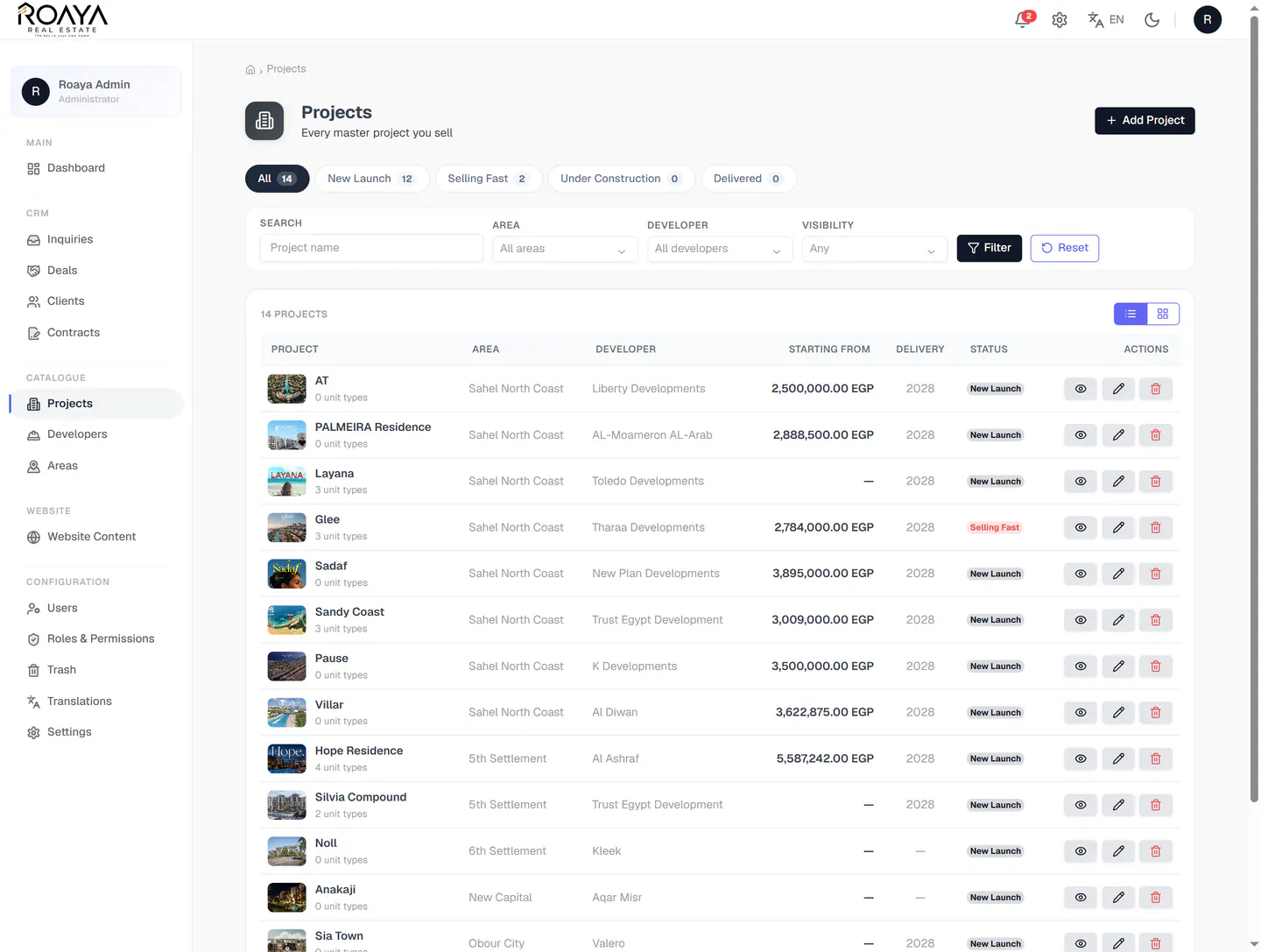
Catalogue — Projects
The 14 master projects behind the public site, in one table: cover thumbnail, unit-type count, area, developer, starting price, delivery year and website visibility. This is the record the storefront reads from.
- Tabs with counts: All 14, New Launch 12, Selling Fast 2, Under Construction, Delivered
- Columns: project, area, developer, starting price, delivery, status
- Filter by area, developer and website visibility
- List and grid views, with per-row view, edit and delete
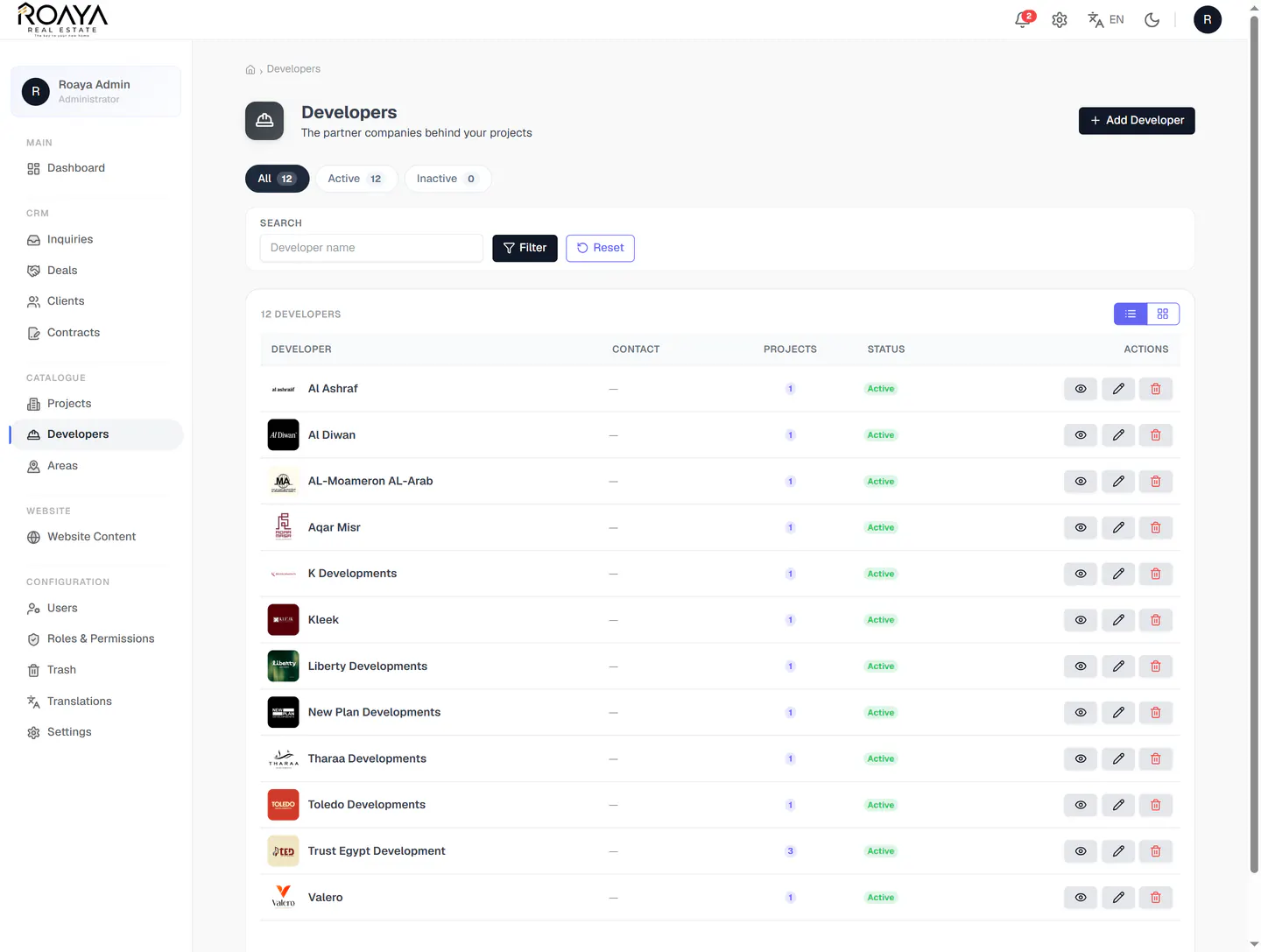
Catalogue — Developers
The twelve partner companies whose logos appear on the public Developers page, each with its contact, project count and an active switch that decides whether it shows on the site at all.
- Twelve developers with logo, contact and project count
- Active and inactive tabs control public visibility
- Search by developer name
- Row actions: view, edit, delete
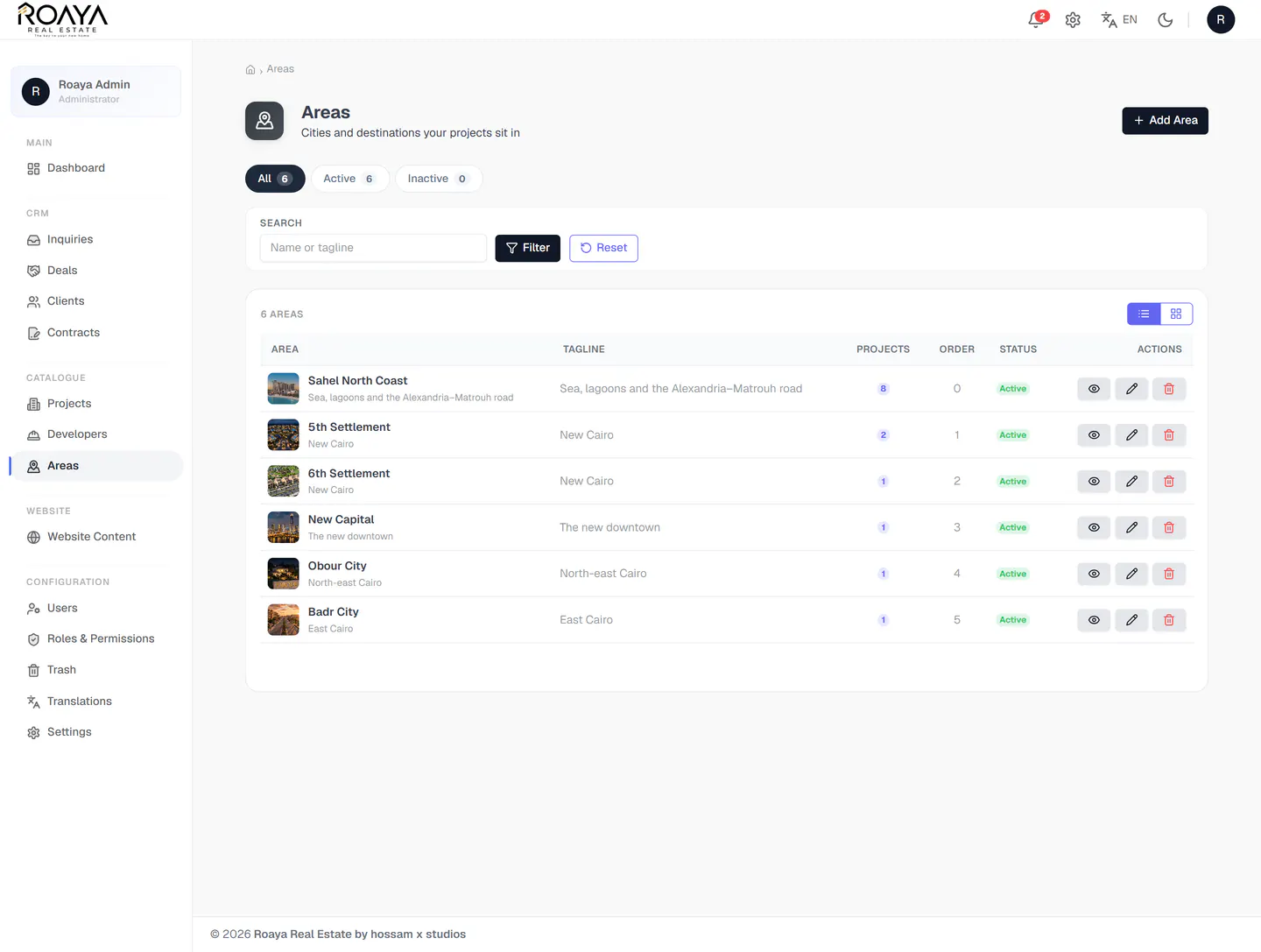
Catalogue — Areas
The six cities that feed the "Pick your city" section, each holding the exact tagline shown on the public card, the number of projects in it, and a display order that sets the sequence on the website.
- Six areas carrying the taglines used on the public site
- Project count per area — Sahel North Coast holds eight
- Display order controls the order of the website cards
- Active and inactive status per area
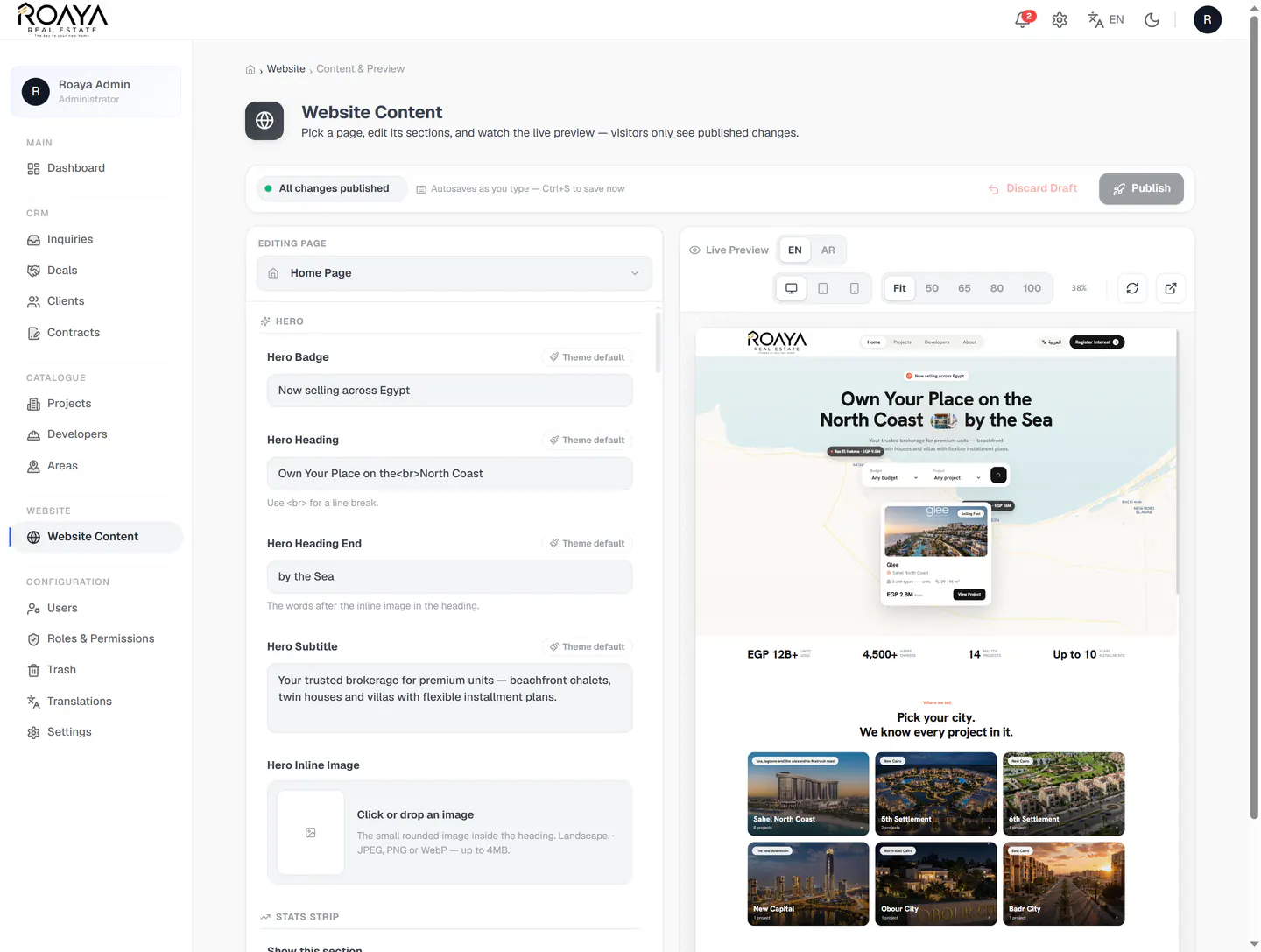
CMS — Website Content & Live Preview
Every piece of copy on the public site is editable here, with the real page rendering beside it. The editor autosaves as a draft, and visitors only ever see a change once it has been published.
- Pick a page, then edit section by section — badge, heading, subtitle, images
- Live preview in English and Arabic, at desktop, tablet or mobile width
- "All changes published" state, with autosave and Ctrl+S
- Discard Draft and Publish — nothing reaches visitors until published
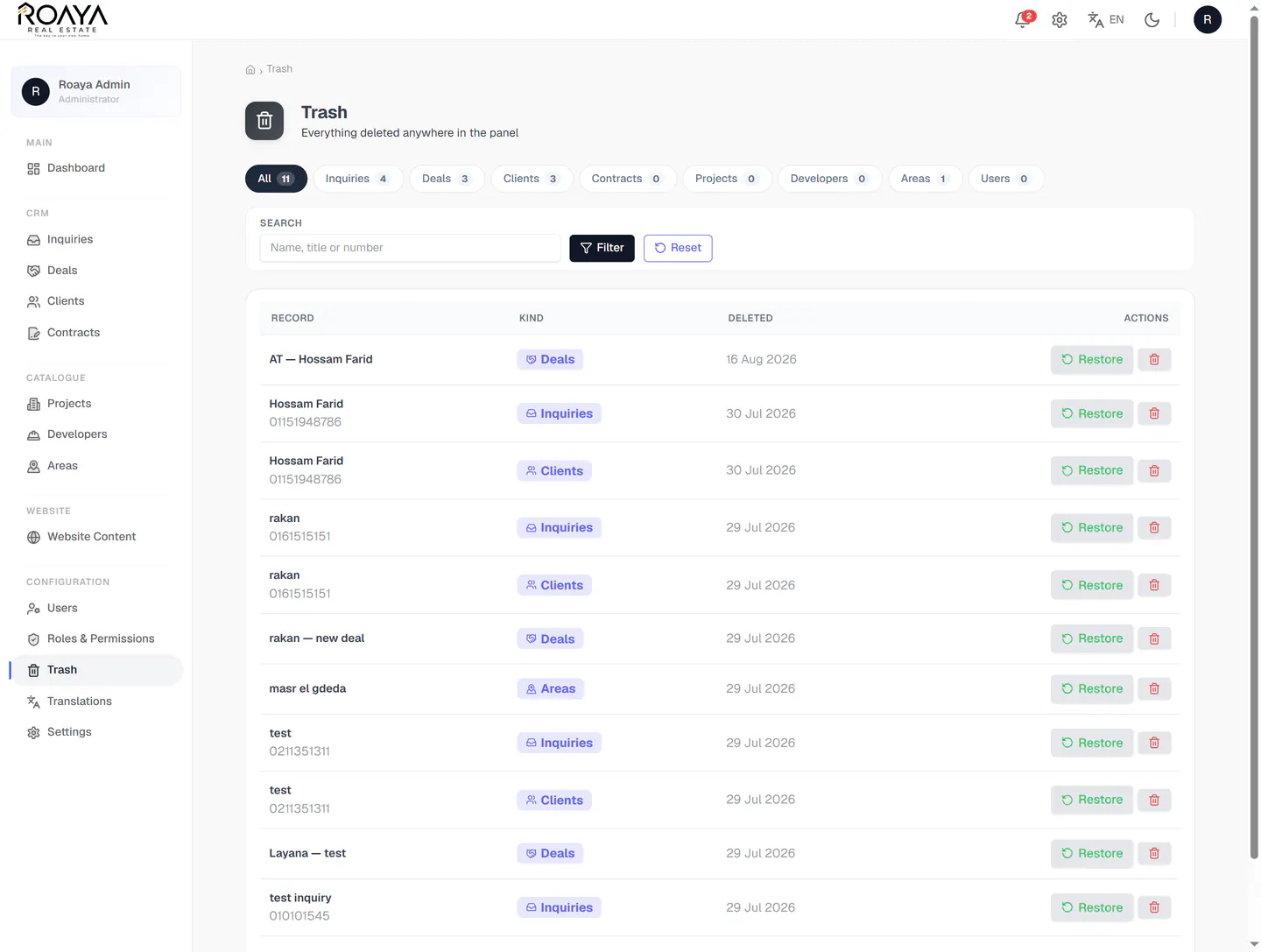
Trash — Recoverable Deletes
Nothing is lost to a misclick. Every deletion anywhere in the panel lands in one bin, tagged by record type and date, with a one-click restore back into its own module.
- One bin for every record type, with counts per type
- Each row: record name, kind badge and deletion date
- Restore returns the record to the module it came from
- Permanent delete stays a separate, explicit action
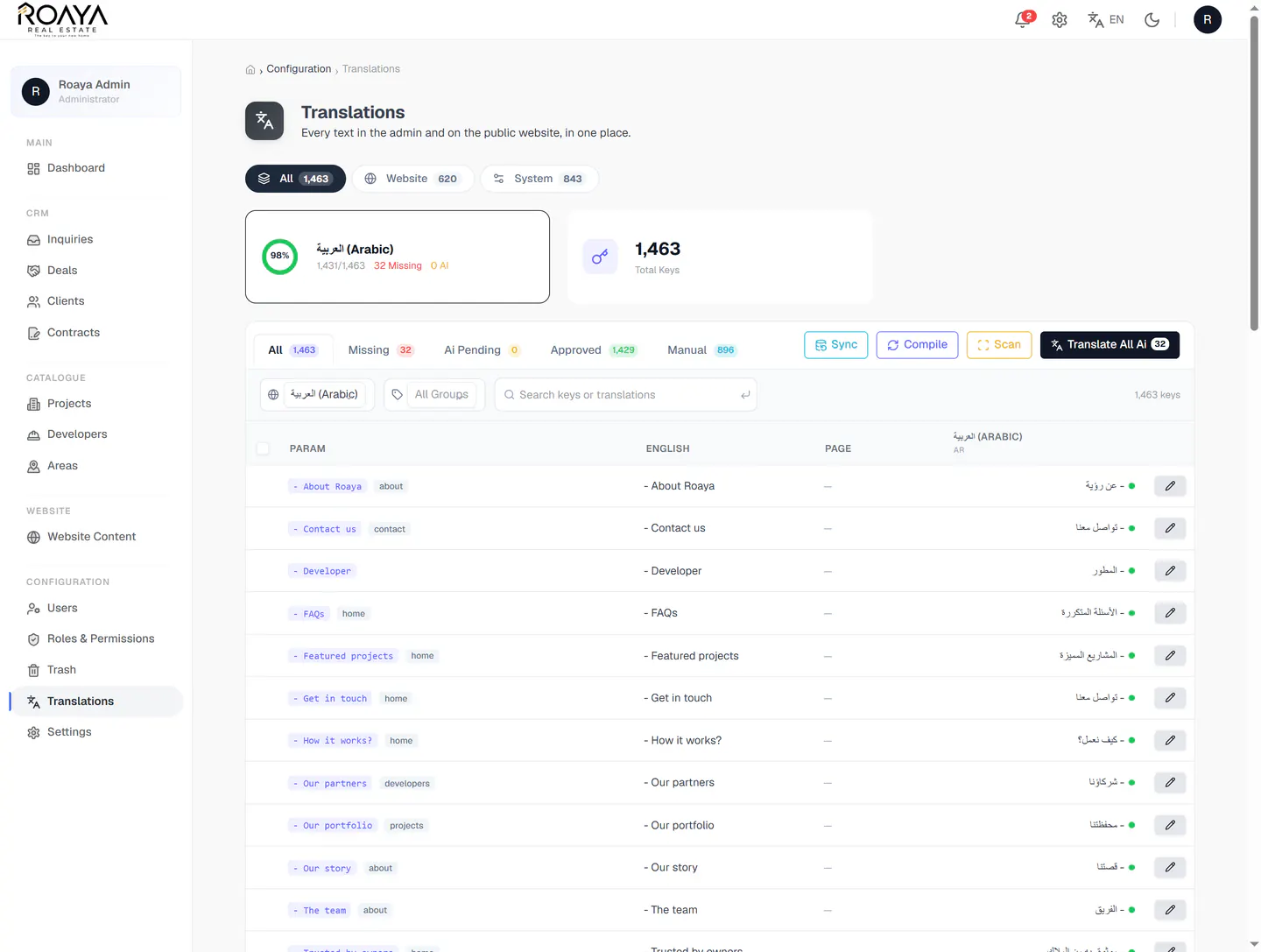
Configuration — Translations
The bilingual layer in one table: 1,463 keys across the website and the admin, each with its English source and its Arabic value, plus a coverage ring that shows exactly how much is done.
- 1,463 keys split into Website (620) and System (843)
- Coverage ring: 98% Arabic — 1,431 done, 32 missing
- Tabs for Missing, AI Pending, Approved and Manual
- Sync, Compile, Scan and a bulk AI translate pass
How We Built It
We built the identity around one signal orange on white paper, generous radii and black pill buttons — a calm, confident system that keeps attention on photography and price.
Areas, developers, projects and unit types were modelled first, so the storefront, the filters, the CRM and the contract all read the same records instead of copies of them.
We shipped the inquiry inbox, the drag-and-drop deal board, the live-preview contract builder and the section-by-section CMS on Laravel, with roles and permissions over all of it.
Every string in the site and the panel was keyed, scanned and compiled into a managed translation table, then the platform went live at roaya-realestate.com in both languages.
The Outcome
The key to your new home.
Selling property online?
We build brokerage platforms end to end — a storefront that sells on real numbers, a CRM that carries the lead to contract, and a CMS your team runs without calling a developer.