





Yalla Box
A bilingual (EN / AR) courier app that puts the whole shipment lifecycle in a driver’s pocket — accept jobs, run the route, call the customer, capture the cash and close the order, in light or dark mode.
One App To Run Every Delivery.
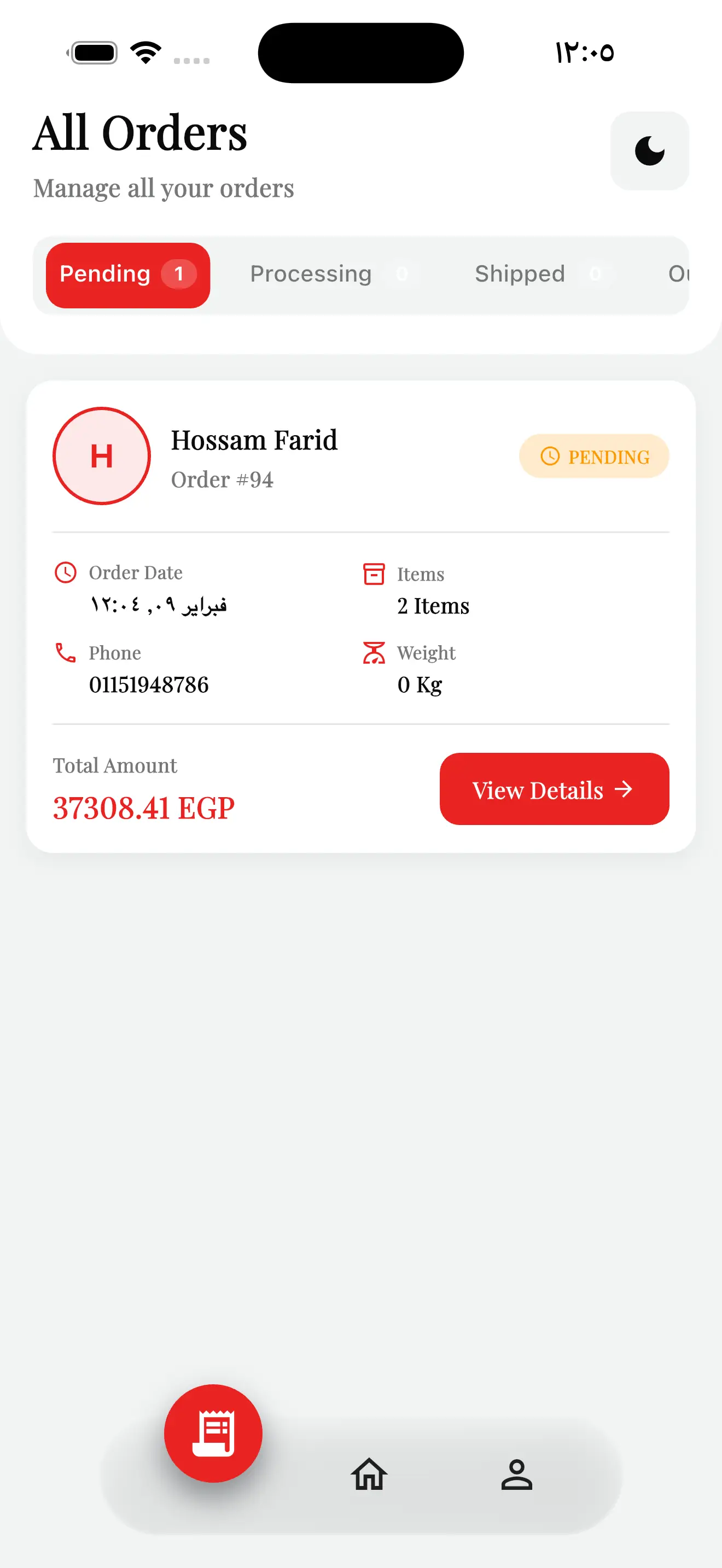
Yalla Box needed to take its couriers off paper manifests and phone calls and put the whole job on one screen — the shipments assigned to them, the orders waiting, and every action needed to move a parcel from the warehouse to the customer’s door.
The app had to work for an Arabic-first delivery team without losing English speakers, hold up in bright daylight and at night, and let a driver accept, dispatch, deliver and collect payment without ever leaving the order. Everything a courier does in a day, in their hand.
- Bilingual EN / AR with full right-to-left layout support.
- A driver dashboard showing assigned shipments at a glance.
- The complete lifecycle — accept, dispatch, deliver, collect — on one order screen.
- One-tap customer call and live map routing to the drop-off.
Built Around The Driver’s Day.
A fully Arabic-first interface with right-to-left layout and a one-tap EN / AR switch, so every courier reads the job in their own language.
A tuned light and dark theme that stays legible in bright daylight on the road and easy on the eyes during night runs.
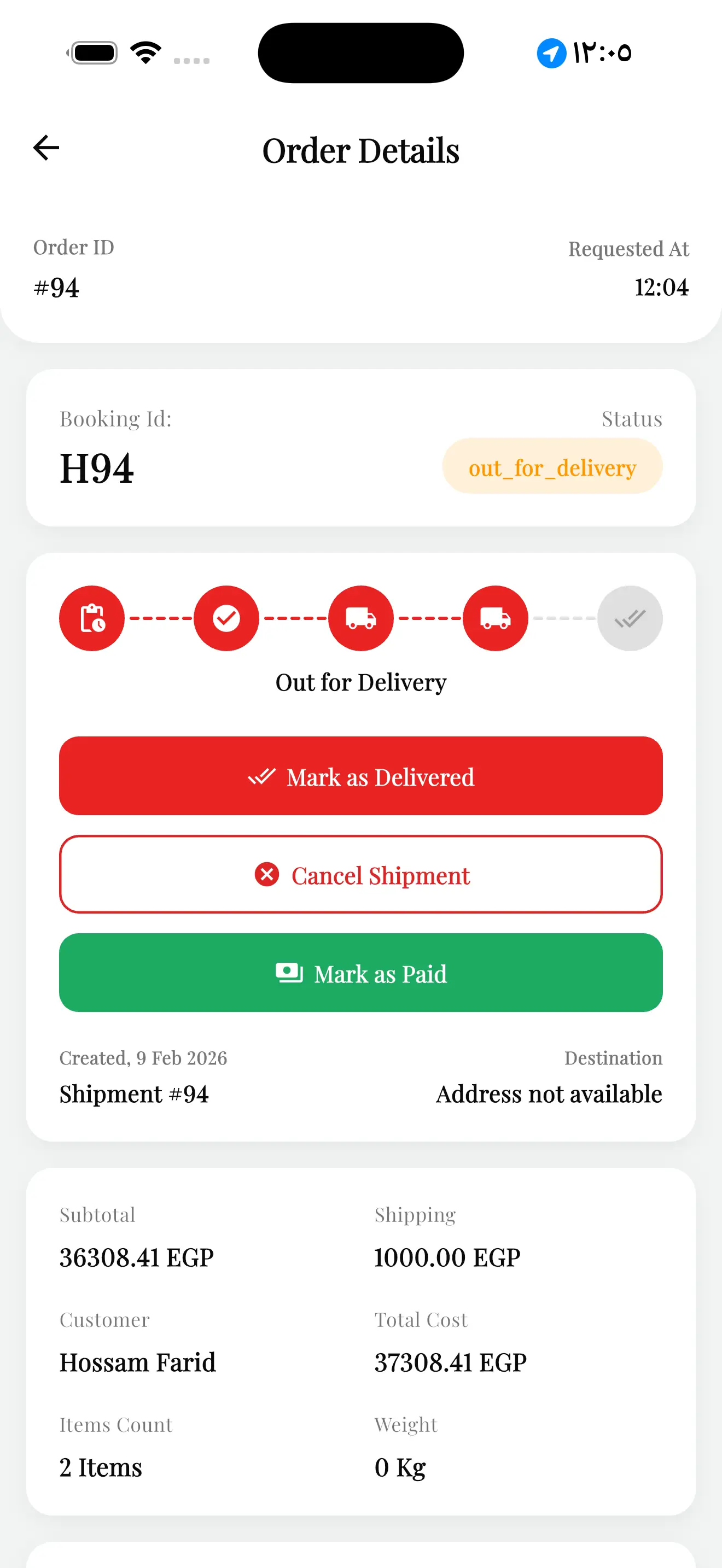
Accept or reject, start the shipment, mark out-for-delivery and delivered — a live status timeline drives every order from pending to done.
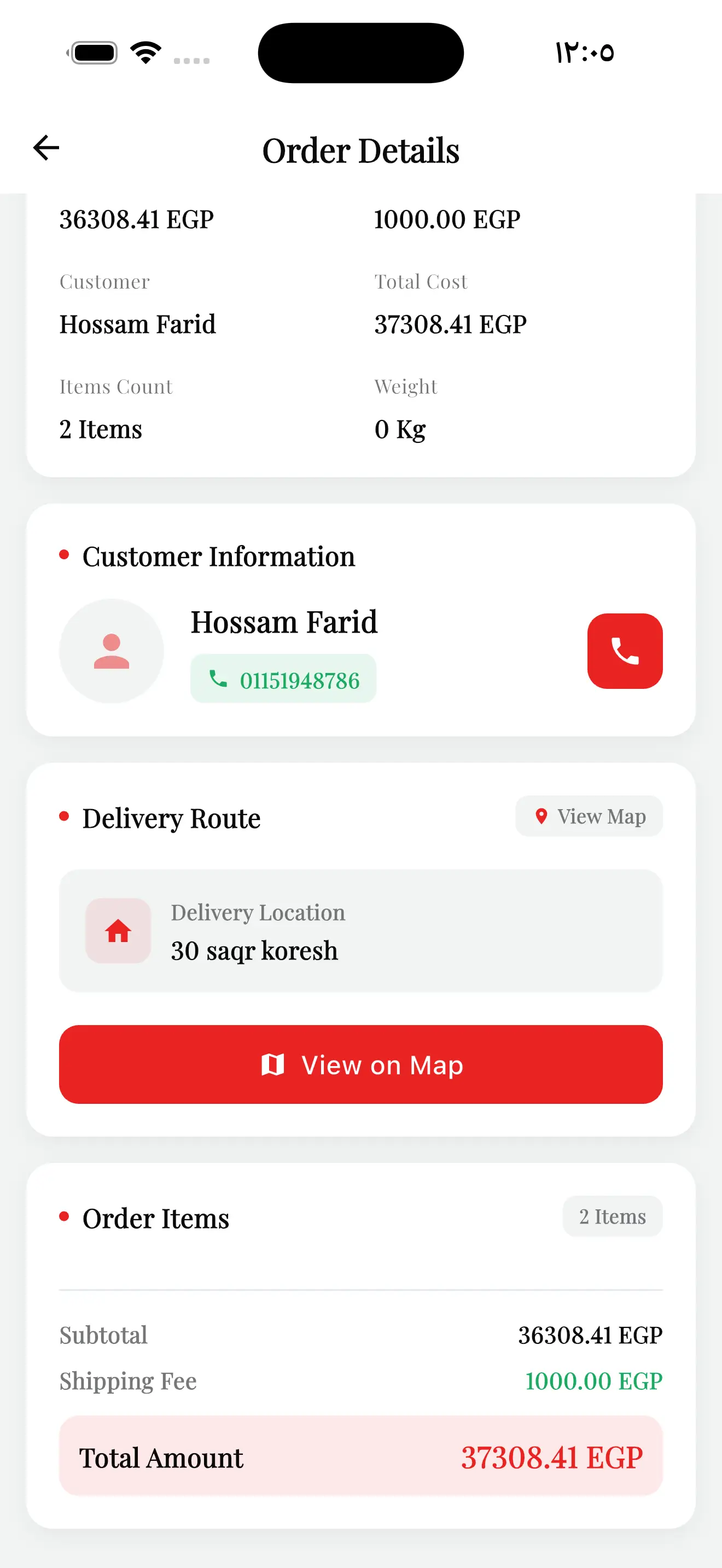
Each order carries its delivery location and a “View on Map” route, so the driver navigates straight to the drop-off.
Customer name and number sit on every order with a single call button — no copying numbers, no leaving the app.
Subtotal, shipping and total in EGP per order, payment method on file, and a “Mark as Paid” action to settle cash on delivery.
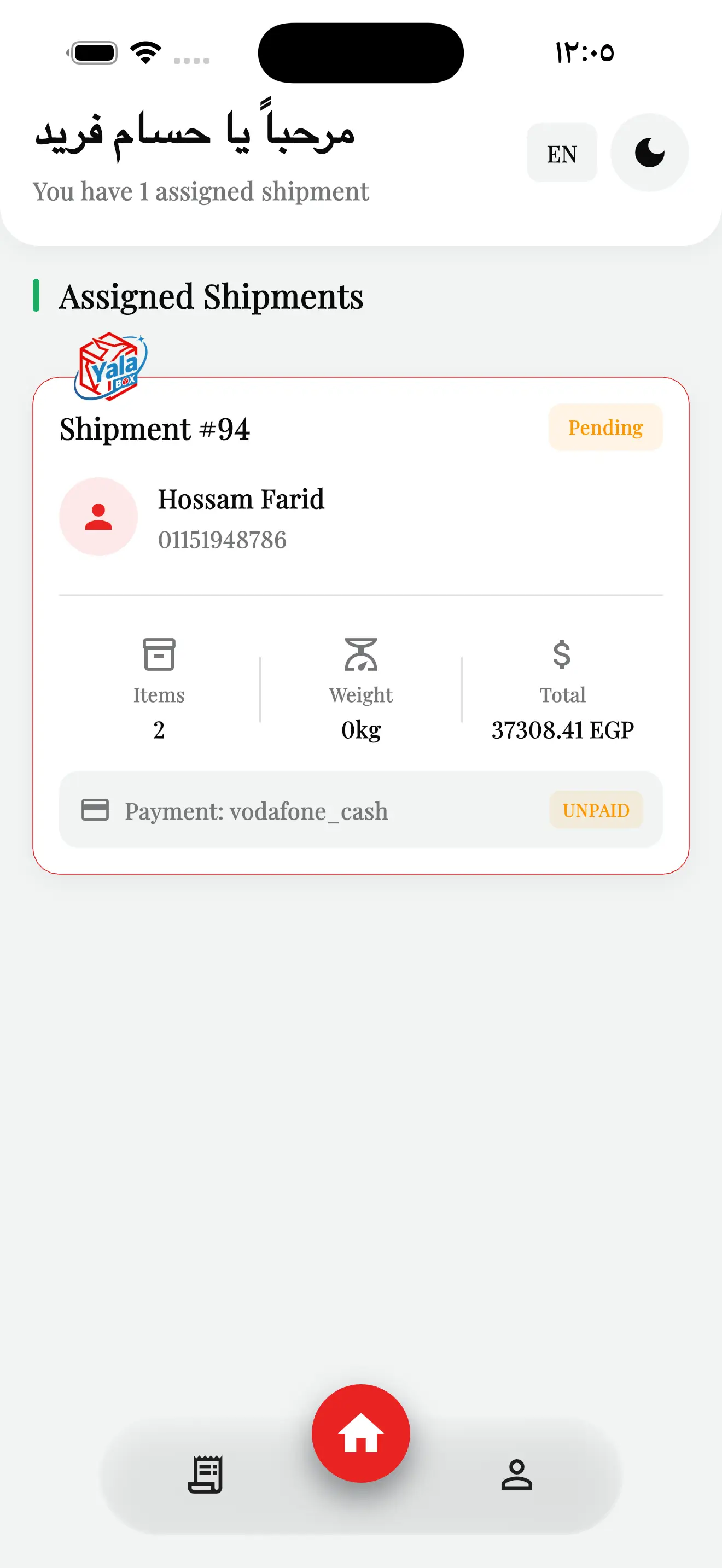
The Driver’s Home Base.
A personal greeting, the count of assigned shipments, and an orders queue split by status — everything a courier needs the moment they open the app.
From Pending To Delivered — One Screen.
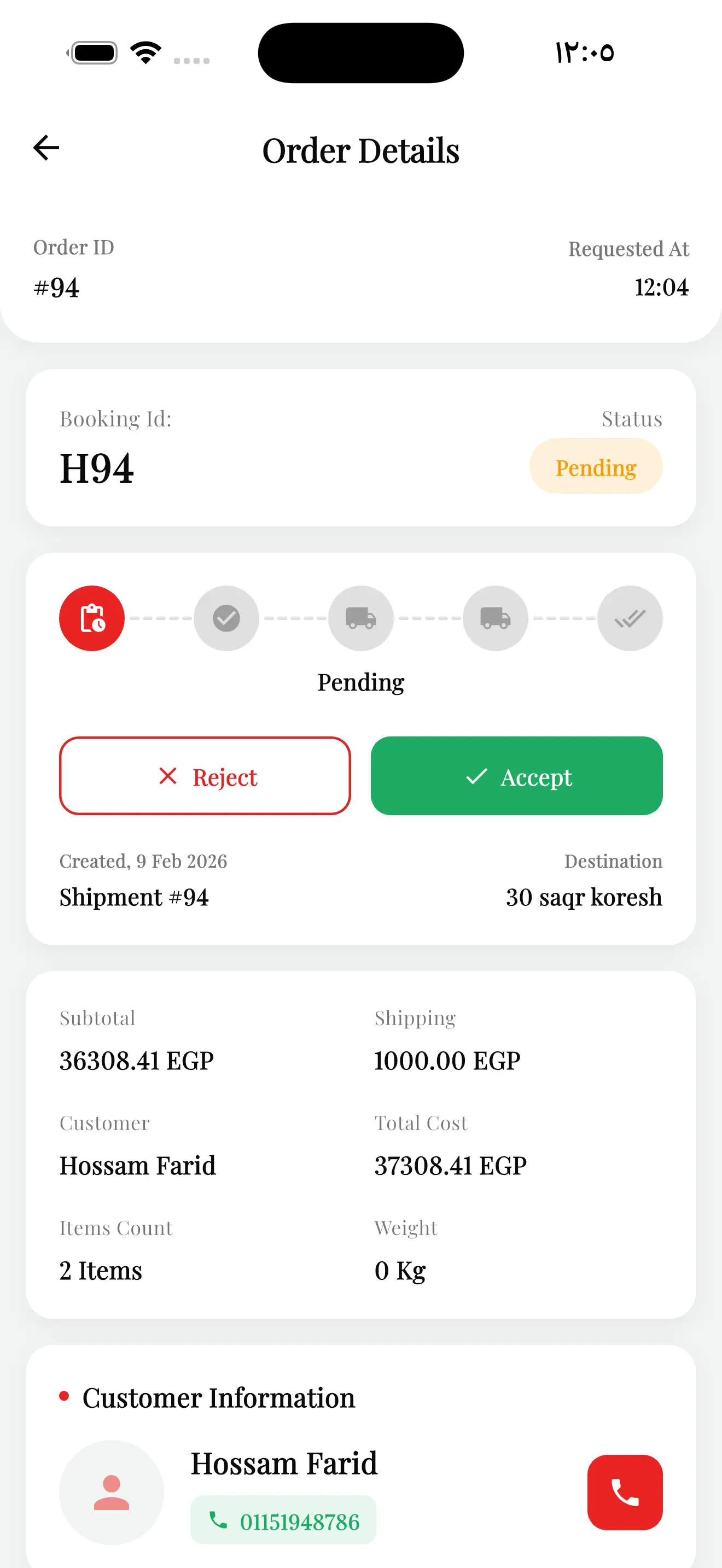
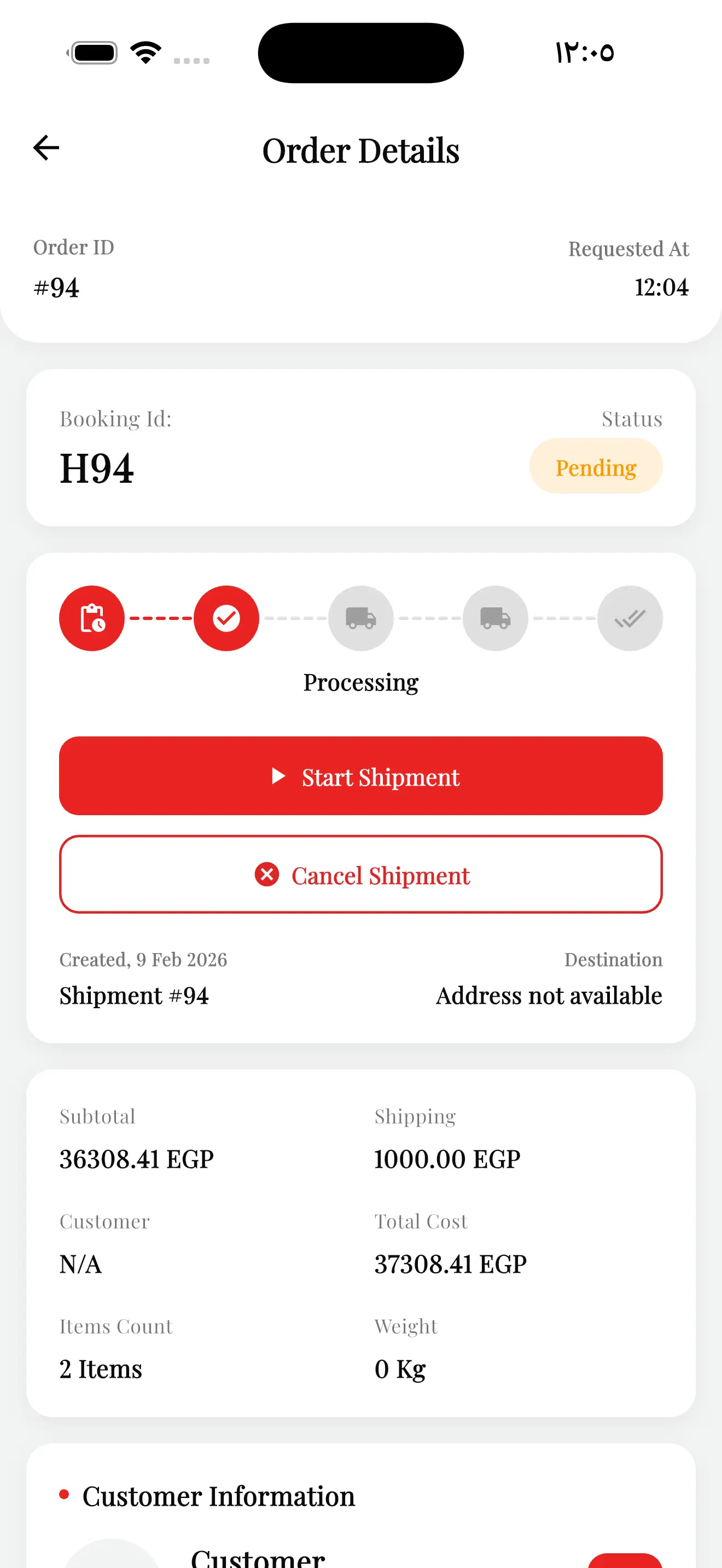
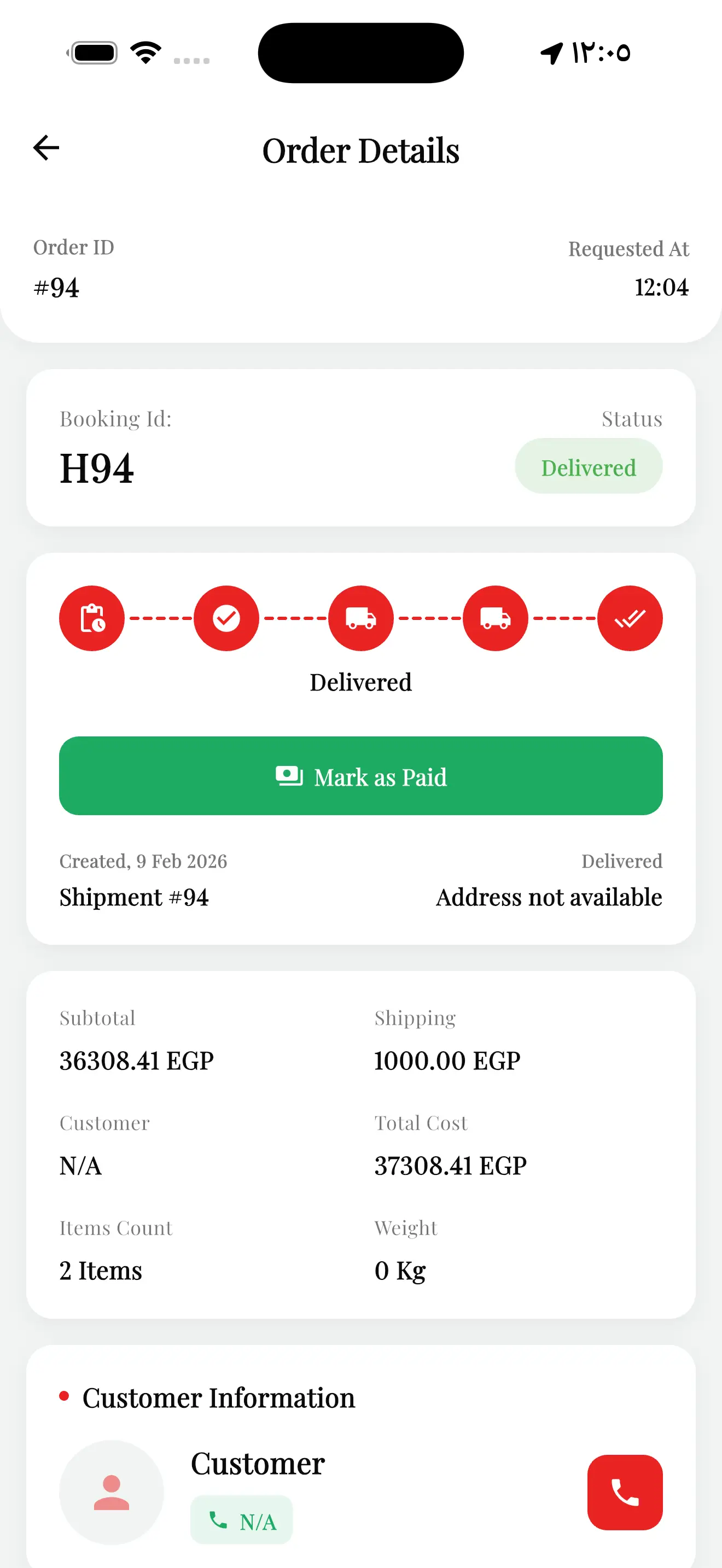
A live status timeline runs along the top of every order. As the driver acts, the order advances — and the buttons change with it, so the right next step is always the obvious one.
A new order lands. The driver reviews customer, items and total, then taps Accept or Reject.
Once accepted, the order is prepped. The driver hits Start Shipment to head out — or cancels if needed.
On the road with map routing. The driver can Mark as Delivered, collect payment, or cancel.
The order closes out green, the cash is marked paid, and the timeline reads complete end to end.
Every Status, Every Action.
The same order detail screen carries the driver through the whole job — the timeline and the action buttons reshape themselves at each stage.
Our drivers stopped juggling phone calls and paper. They open Yalla Box, see their shipments, and close every order from one screen — in Arabic, day or night.
What Shipped.
Need a mobile app your team actually runs the day on?
We design and build mobile apps end to end — bilingual, themed, and wired to the real workflow your people repeat every day. If you have an operation that belongs in a pocket, let’s talk.