





Admin Dashboard Analysis
The dashboard is where leadership opens the platform every morning. One Overview tab fuses CRM and content metrics so brand work finally has a legible ROI lane: a Total Deal Value tile sits alongside a Content Creation tracker filterable by Blogs / Case Studies / Magazines, a Recent Activity feed surfaces service applications, blogs and deals in chronological order, and a Pipeline & Stage Analysis chart breaks deal value down per pipeline stage.

Every section, explained.
4 working sections inside Admin Dashboard Analysis — each one a screen we designed, built and tested in the live system.
Analytics Dashboard
The landing screen for every admin login — a single Overview tab fusing CRM Analytics (Deals, Deal Value, Leads, Companies) with Content Analytics (Blogs, Case Studies, Services, Users), a Pipeline & Stage Analysis chart and a Recent Activity feed so the brand-to-revenue story is legible at a glance.
- Single Overview tab fusing CRM + content metrics
- Total Deal Value, Leads and Companies tiles drillable to source
- Content Creation tracker filterable by Blogs / Case Studies / Magazines
- Pipeline & Stage Analysis + Recent Activity feed on one screen
Roles & Permissions
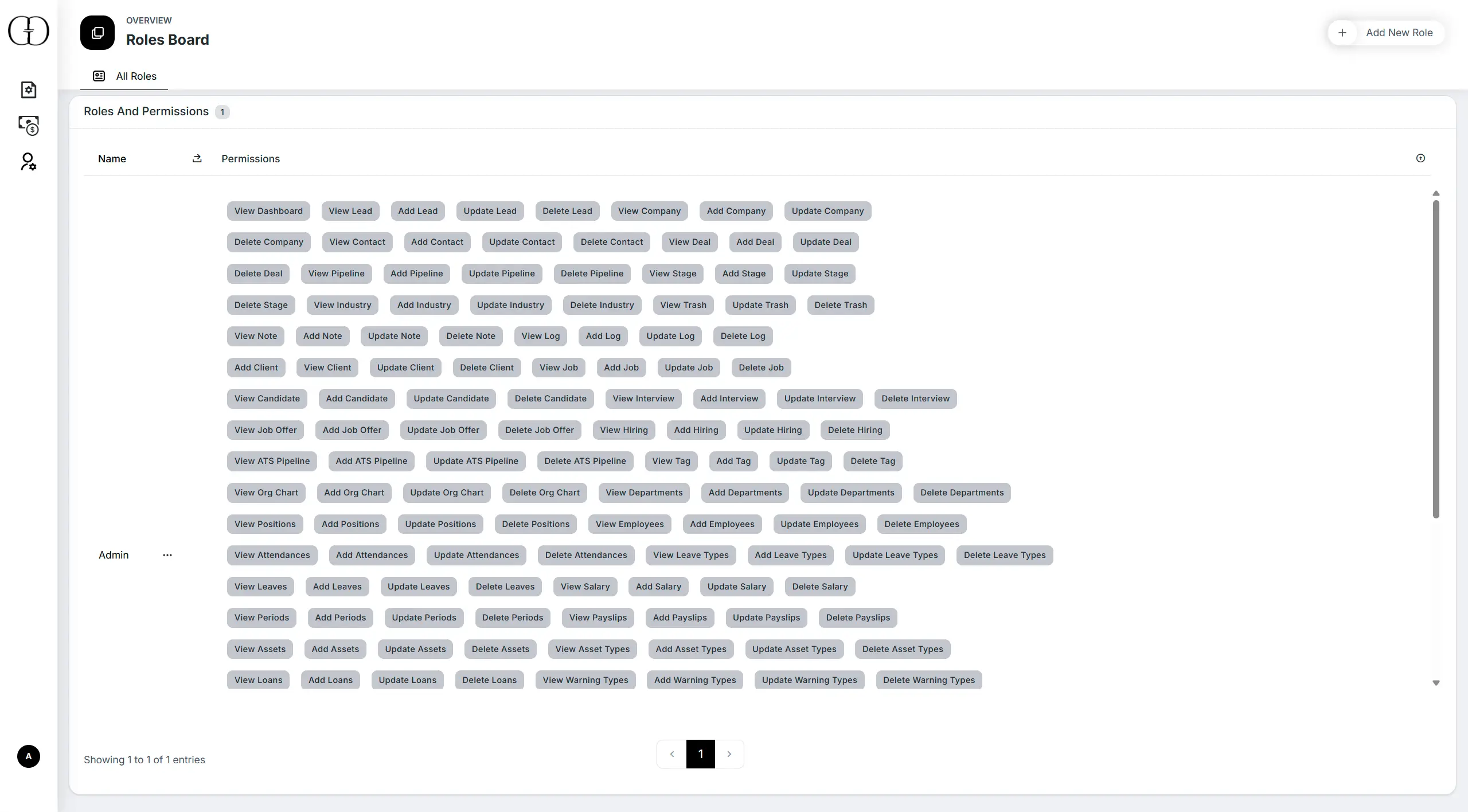
The access-control surface. Roles are defined once and granted granular permissions across every admin module — CRM, CMS, Work, Users — with role assignment enforced on every action, not just at the menu level.
- Granular per-module permission matrix
- Roles assignable to any admin user
- Permission checks enforced at the action layer
- Covers CRM, CMS, Work and Users modules
Topics Board
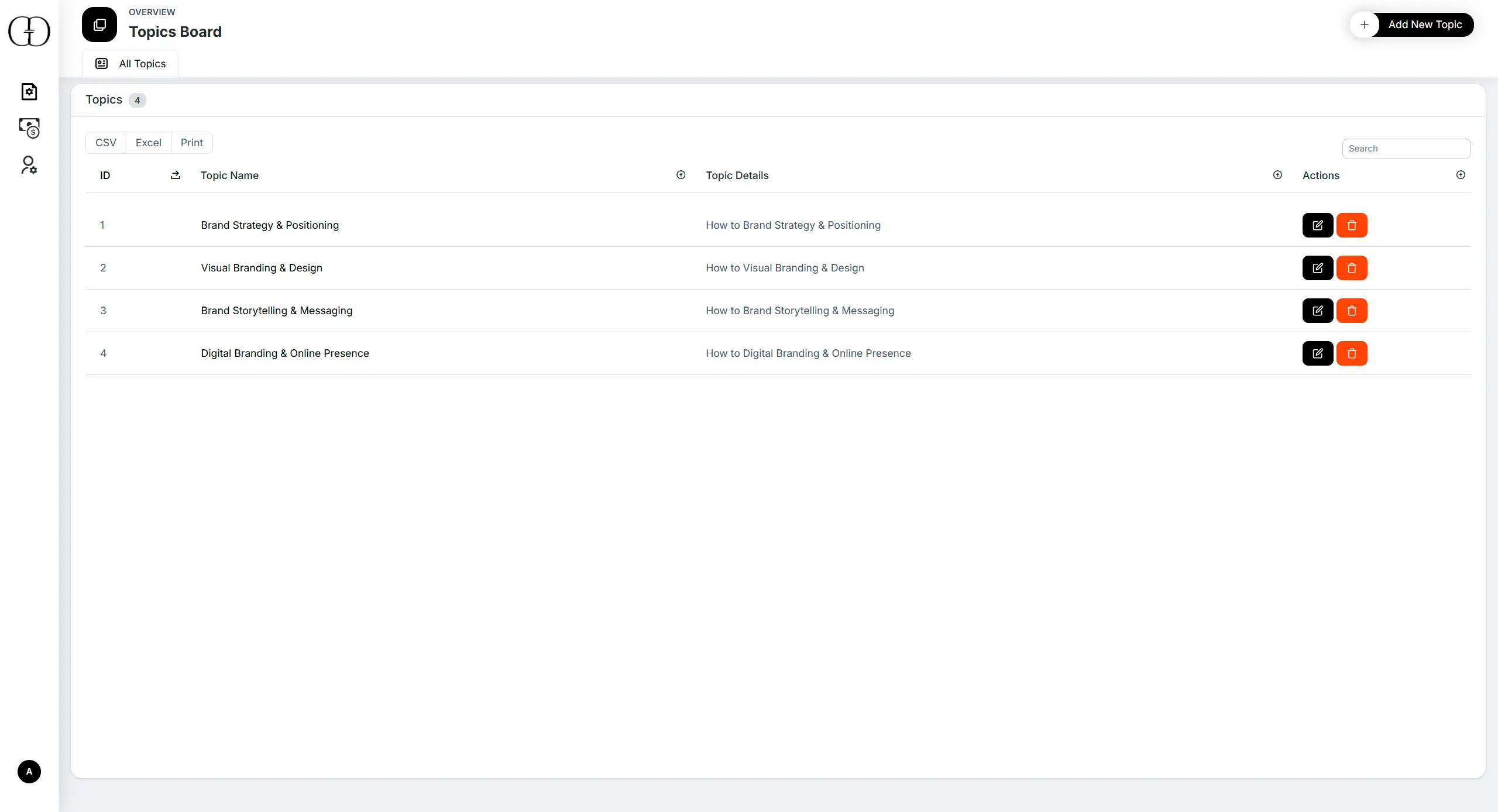
The Topics taxonomy management board — the master list that powers Blogs and Magazine categorisation, drives public news-section filtering and feeds the dashboard's "Blogs by Topic" visualisation.
- Master Topics list with bilingual labels
- FK source for Blogs and Magazine articles
- Drives public news section filtering
- Feeds the "Blogs by Topic" dashboard chart
Services Board
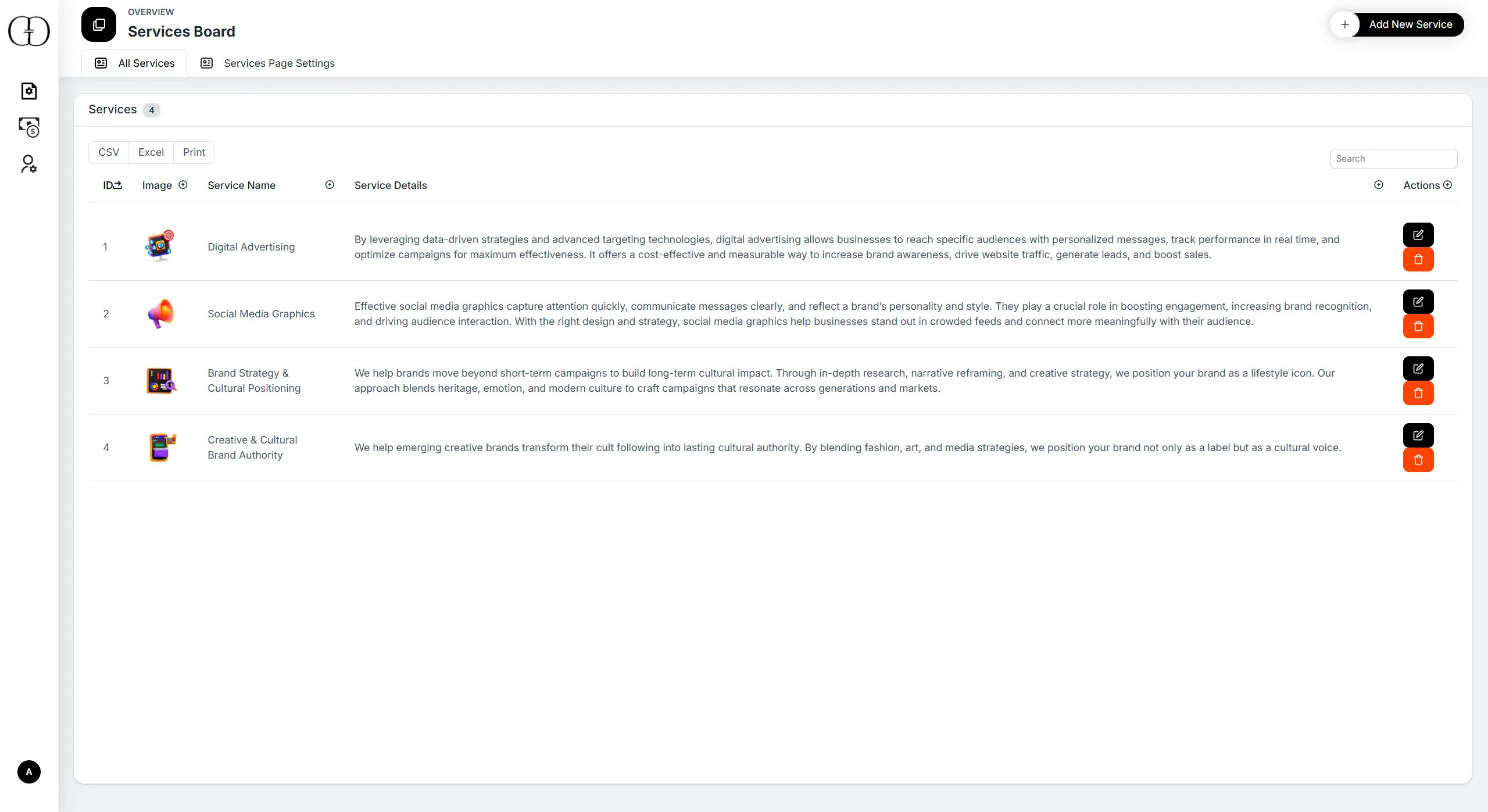
The Services management board — every offering the agency runs, each with its own detail page, application form and case-study tie-back, with submissions routed straight into the Service Applications inbox.
- Full services catalogue management
- Per-service detail page + application form
- Case-study tie-back per service
- Submissions flow into the Service Applications inbox
Jump to another chapter
Need a admin dashboard analysis like this?
We design and build digital experiences and admin systems tailored to how your business actually runs — not how a generic SaaS thinks it should.
Start a Project → Back to Overview