





CRM & Contact Management
The lifecycle layer between the public website and the back office. The 26 contact-form inquiries are qualified into Potential Clients (Leads) with a status pipeline, converted into Actual Members tied to the registered-member vault, and every interaction is captured in the Timeline Items audit trail — channel, outcome, owner and timestamp — so any team member can pick up the conversation cold.
Every section, explained.
4 working sections inside CRM & Contact Management — each one a screen we designed, built and tested in the live system.
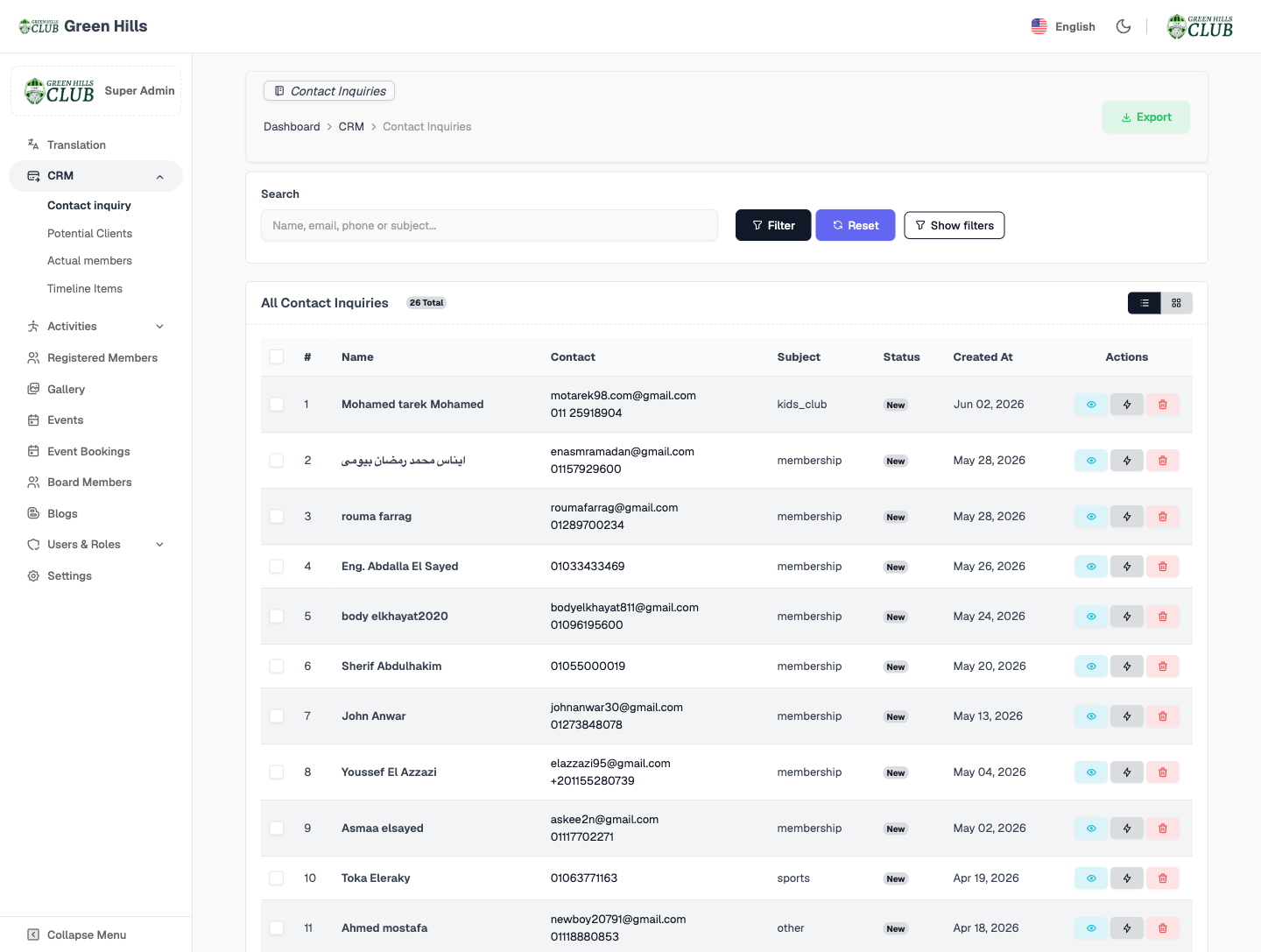
Contact Inquiries
The first surface in the funnel — 26 inquiries captured from the public contact form, each tagged with a subject (membership, sports, kids_club, other) and a status, searchable and exportable.
- 26 inquiries from the public contact form
- Subject taxonomy — membership, sports, kids club, other
- New / in-progress status per record
- Search by name, email, phone or subject + export
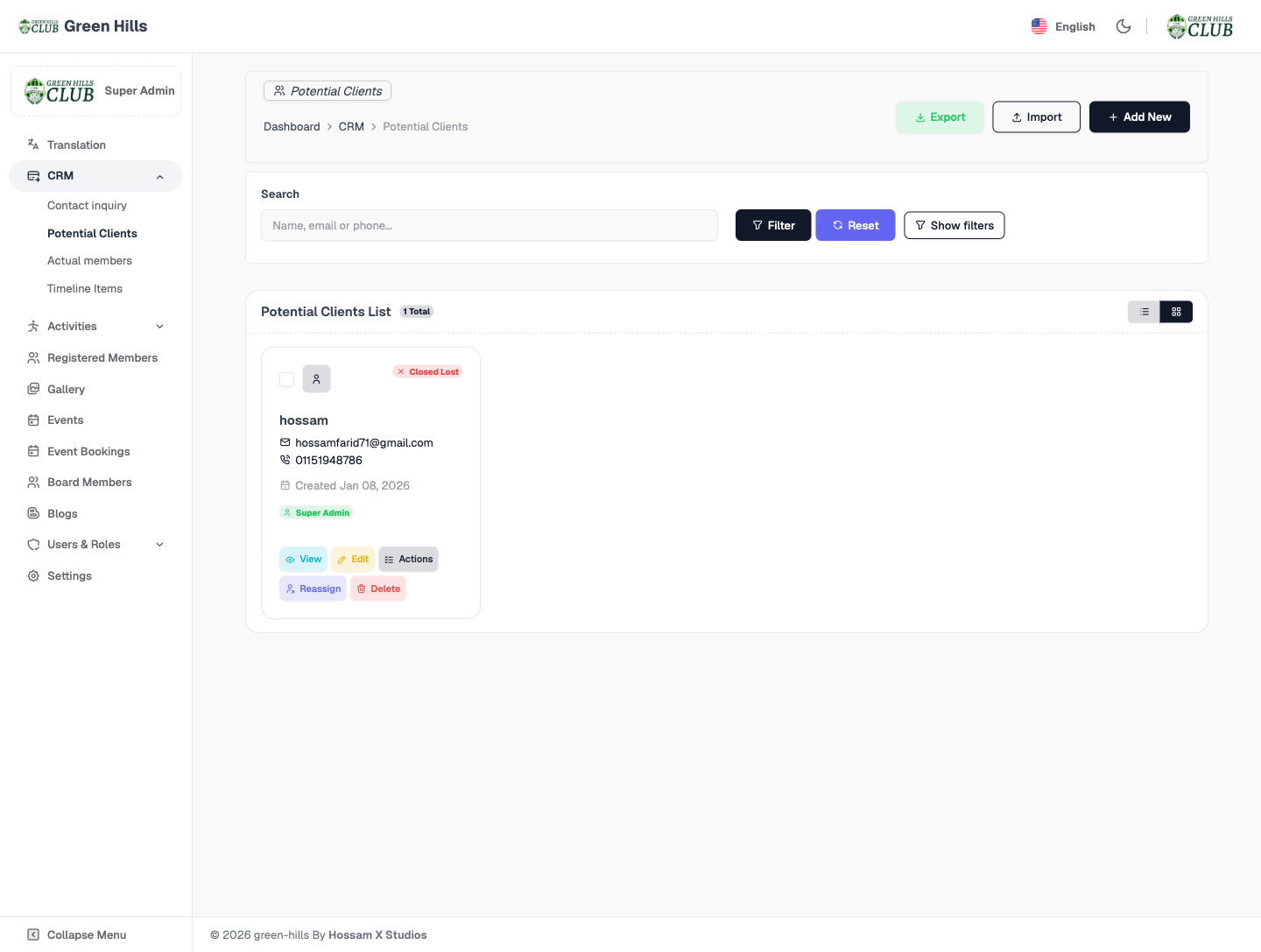
Potential Clients — Leads
Inquiries qualified into Leads — each card showing name, email, phone, created date, owner and a status (e.g., Closed Lost) — with View, Edit, Reassign and Delete actions, plus Export, Import and Add New.
- Lead cards with contact, owner and status
- Actions — View, Edit, Reassign, Delete
- Export, Import and Add New workflows
- Feeds the conversion-rate KPI on the dashboard
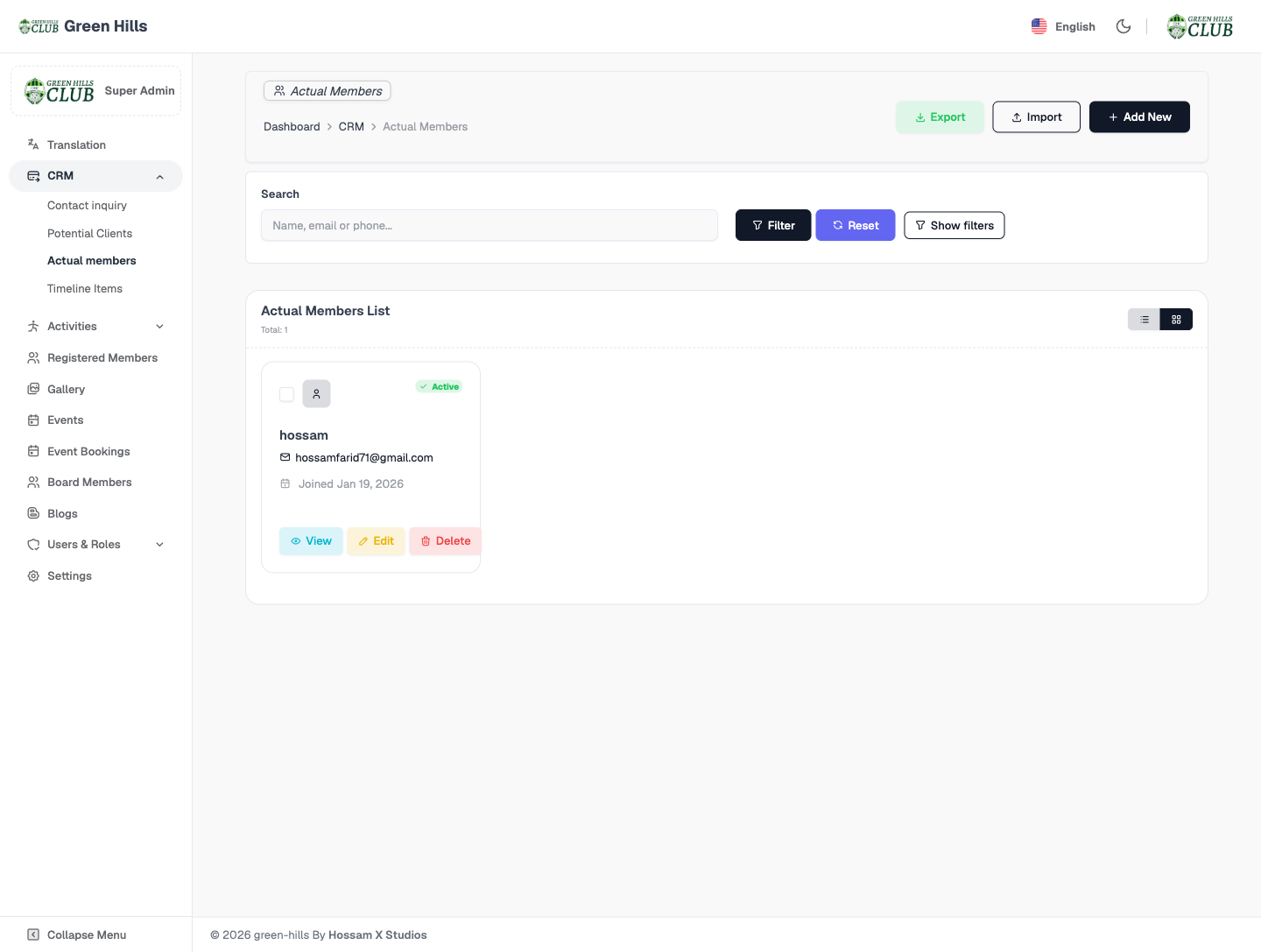
Actual Members
Won leads become Actual Members — active status, origin and join date — linked to the registered-member vault so the membership record and the CRM record never drift apart.
- Converted members with active status
- Origin (from CRM) and join date
- Linked to the registered-member vault
- Surfaces in “Clients by Status” on the dashboard
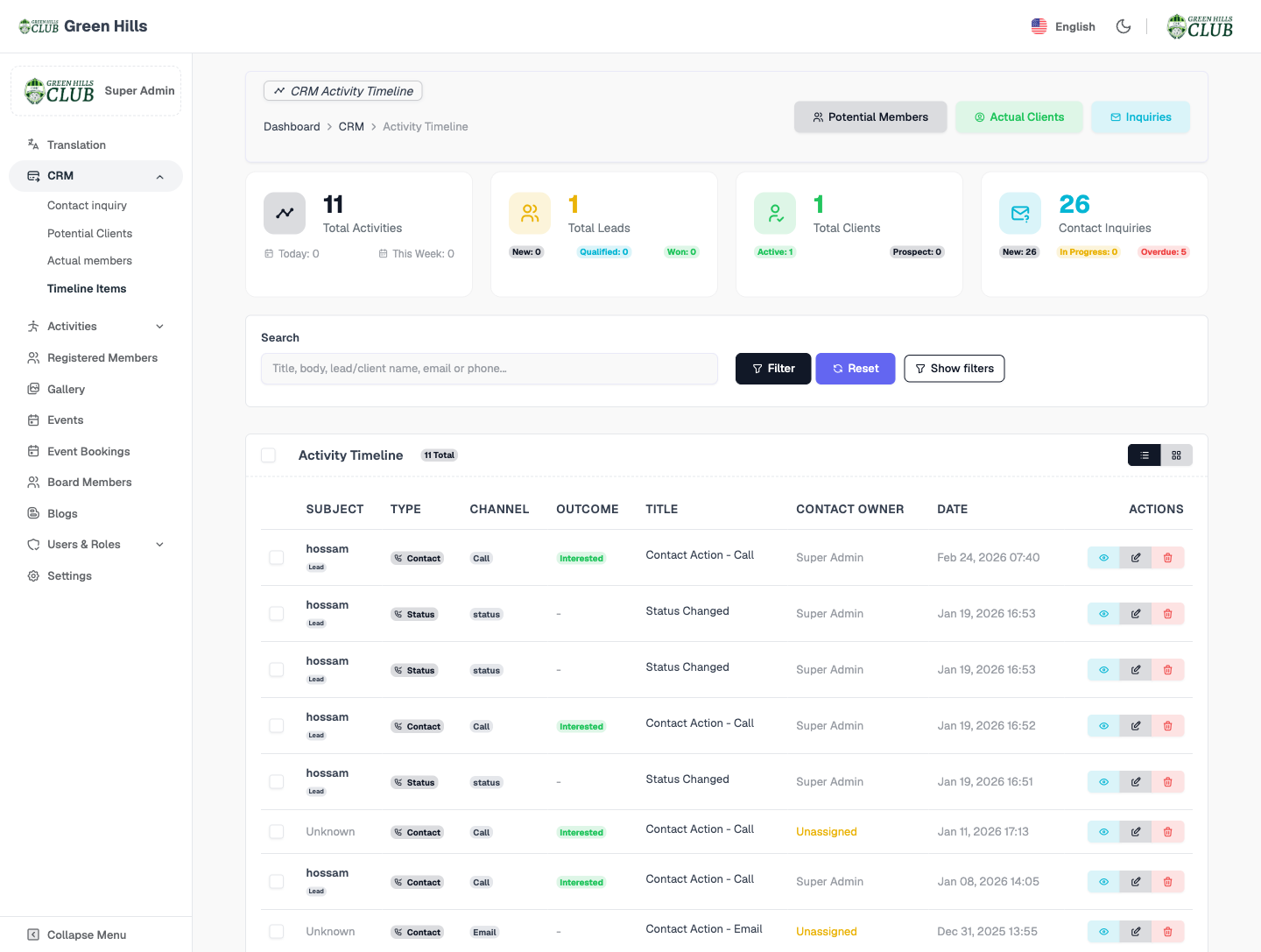
Timeline Items — Audit Trail
The central activity timeline — 11 activities aggregating every interaction across the lead lifecycle — with subject, type, channel (call, email), outcome, title, owner and timestamp, plus headline counters for leads, clients and inquiries.
- 11 activities across all CRM sub-modules
- Channel — call, email; outcome per entry
- Subject, owner and timestamp on every row
- Counters — leads, clients, 26 inquiries (5 overdue)
Jump to another chapter
Need a crm & contact management like this?
We design and build digital experiences and admin systems tailored to how your business actually runs — not how a generic SaaS thinks it should.