





Membership & Registered Members
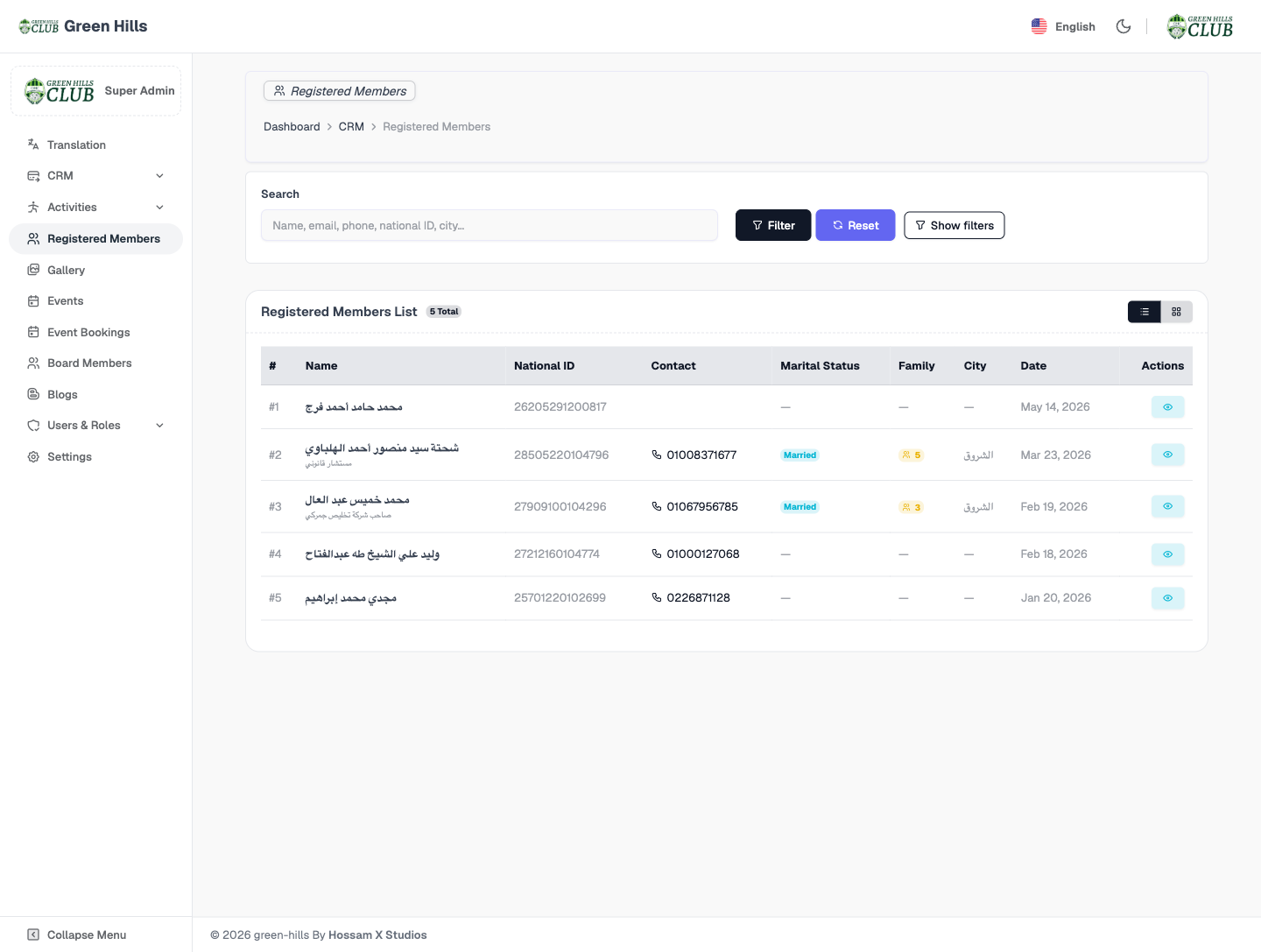
Members sign in or register through the public Member Access screen, then the back office holds the full record. The Registered Members vault stores each household with a 14-digit Egyptian National ID, marital status, family count and city (الشروق / El Shorouk), and qualified records convert into Actual Members in the CRM — one source of truth from public sign-up to active membership.
Every section, explained.
3 working sections inside Membership & Registered Members — each one a screen we designed, built and tested in the live system.
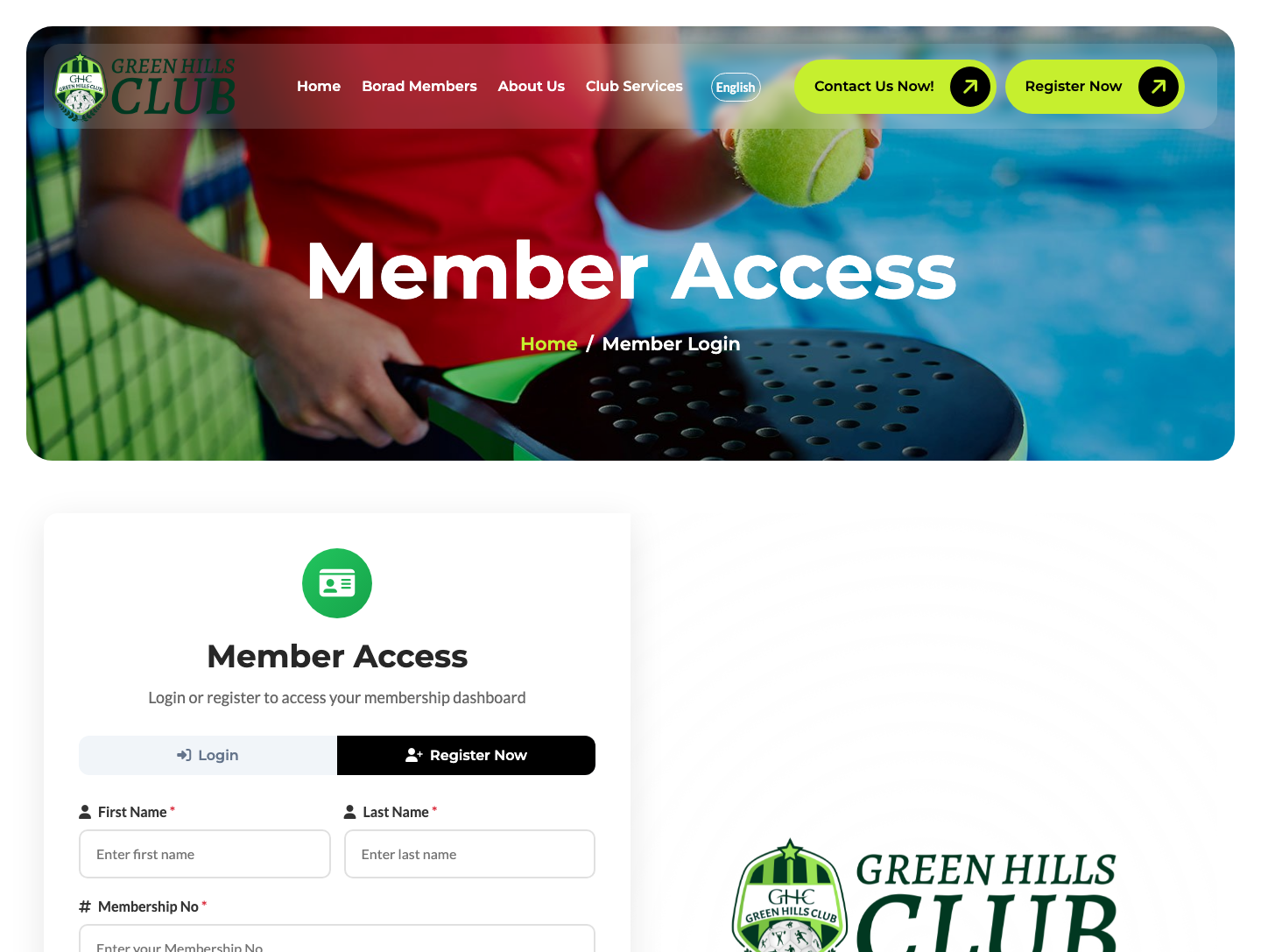
Member Access — Login & Register
The public “Member Access” screen — Login and Register tabs capturing first name, last name and membership ID — the bilingual front door into each family’s membership dashboard.
- Login / Register on a single surface
- First name, last name and membership ID
- Bilingual EN / AR validation messages
- Routes into the member dashboard
Registered Members Vault
The KYC back office for every household — member name (with optional Arabic profession label), 14-digit National ID, contact, marital status, family count and city — all searchable and filterable.
- Member name + Arabic profession label
- 14-digit Egyptian National ID per record
- Marital status, family count and city (الشروق)
- Search by name, email, phone, National ID or city
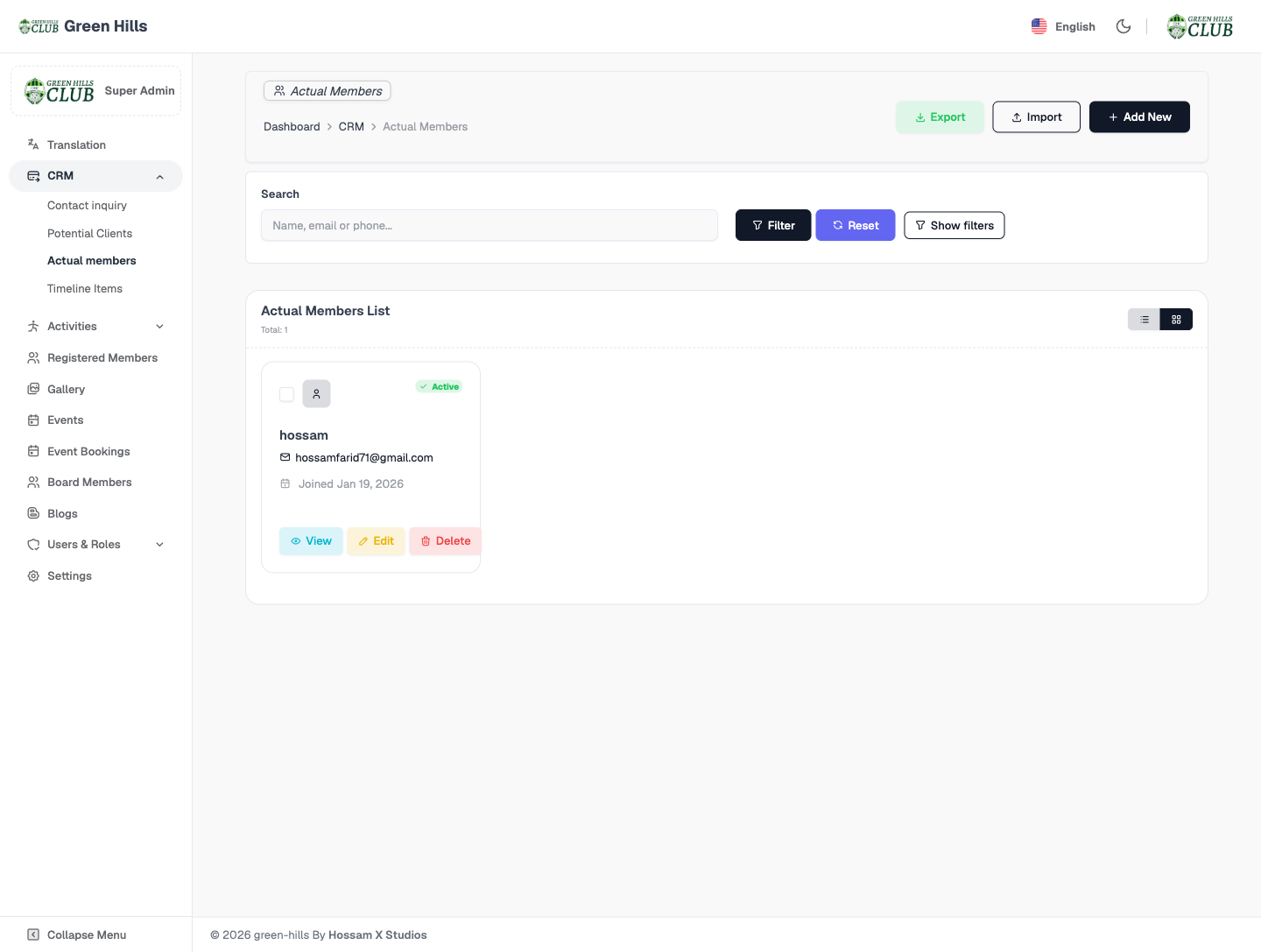
Actual Members
Qualified members appear as Actual Members in the CRM — active status, origin and join date — closing the loop from public sign-up through to an active club membership.
- Active members with status and origin
- Join date and conversion source
- Linked back to the registered-member record
- Feeds the dashboard “Total Clients” KPI
Jump to another chapter
Need a membership & registered members like this?
We design and build digital experiences and admin systems tailored to how your business actually runs — not how a generic SaaS thinks it should.