





Ecommerce System
The ExCraft ecommerce surface is built for an export-led catalogue: products are sourced from factories, sold under brands and shipped through vendors, with every onboarding request reviewed in the admin. One products table powers the public storefront, the LMS catalogue and the consultation system — one source of truth for every line of business.


Every section, explained.
6 working sections inside Ecommerce System — each one a screen we designed, built and tested in the live system.
Products
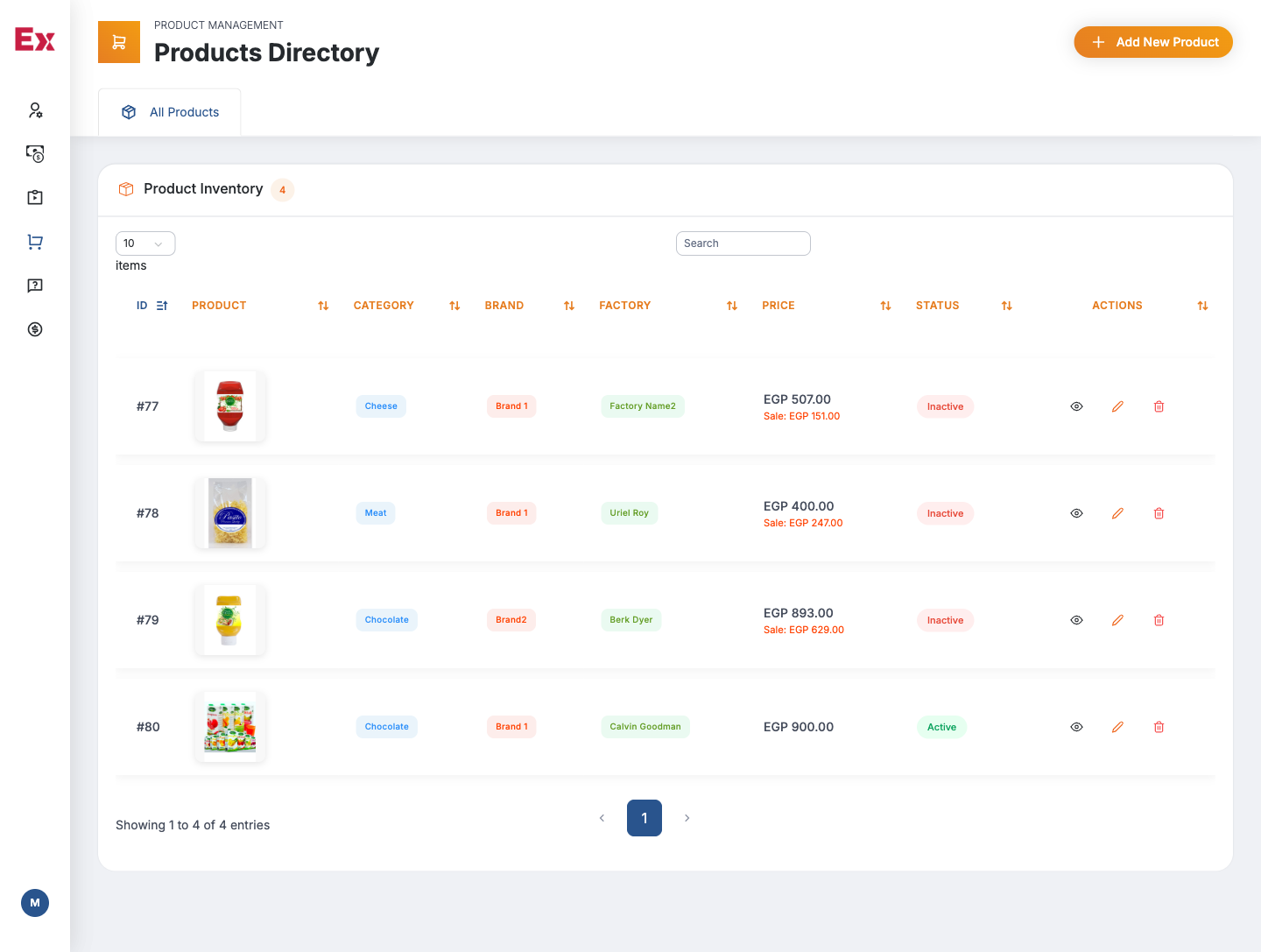
The master products table — SKU, variants, supplier, price, stock and category — read by the public storefront, the LMS and the consultation flows in one query.
- Variants, SKUs and per-variant pricing
- Supplier, factory and brand foreign keys
- Stock counters and low-stock alerts
- Shared by storefront, LMS and consultation
Categories
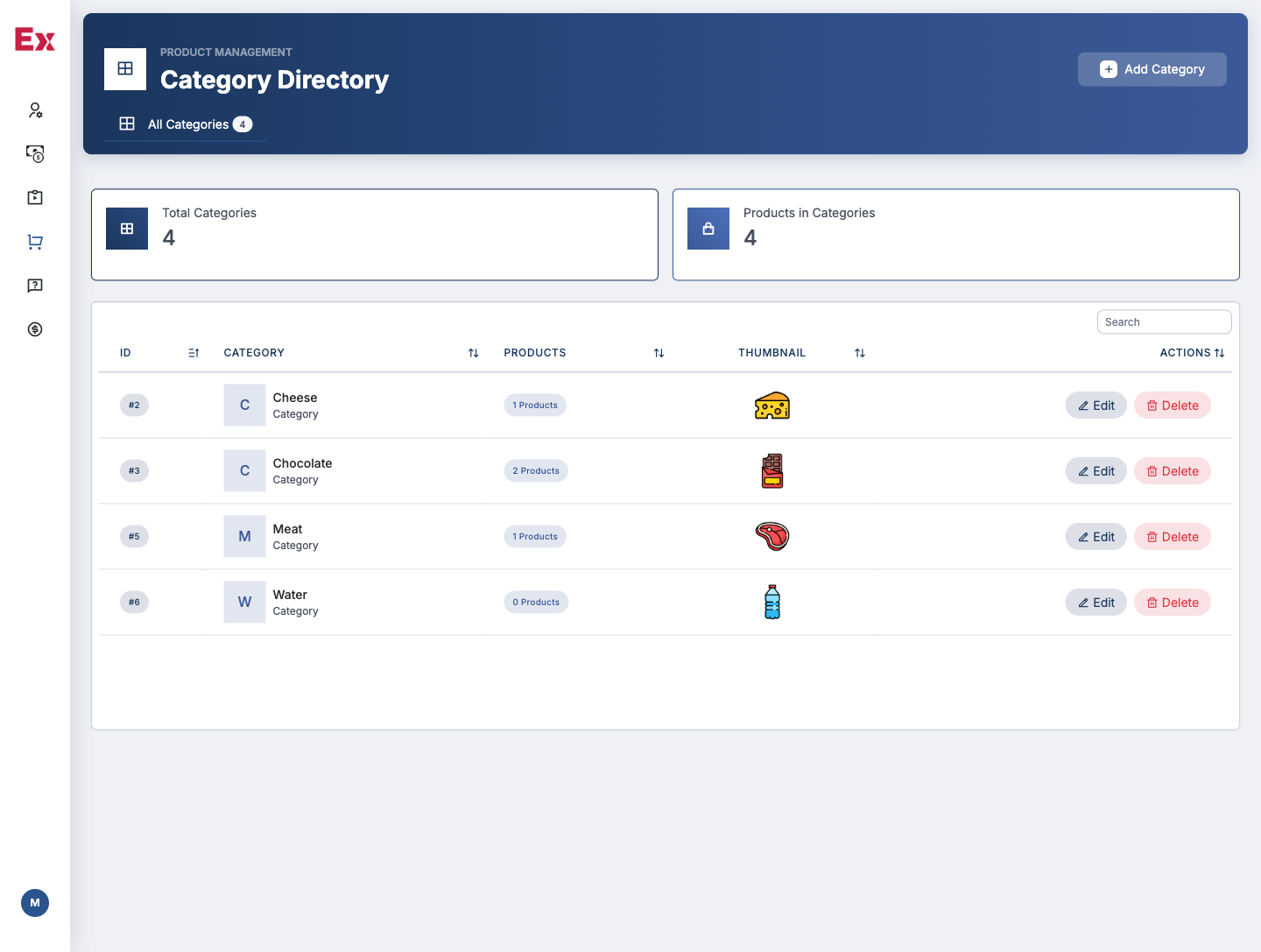
A nested category tree the storefront filters by — with banners, SEO metadata and visibility flags managed from one screen.
- Nested category hierarchy with icons and banners
- Per-category SEO title, description and slug
- Reorderable navigation on the public storefront
- Per-category visibility and feature flags
Brands
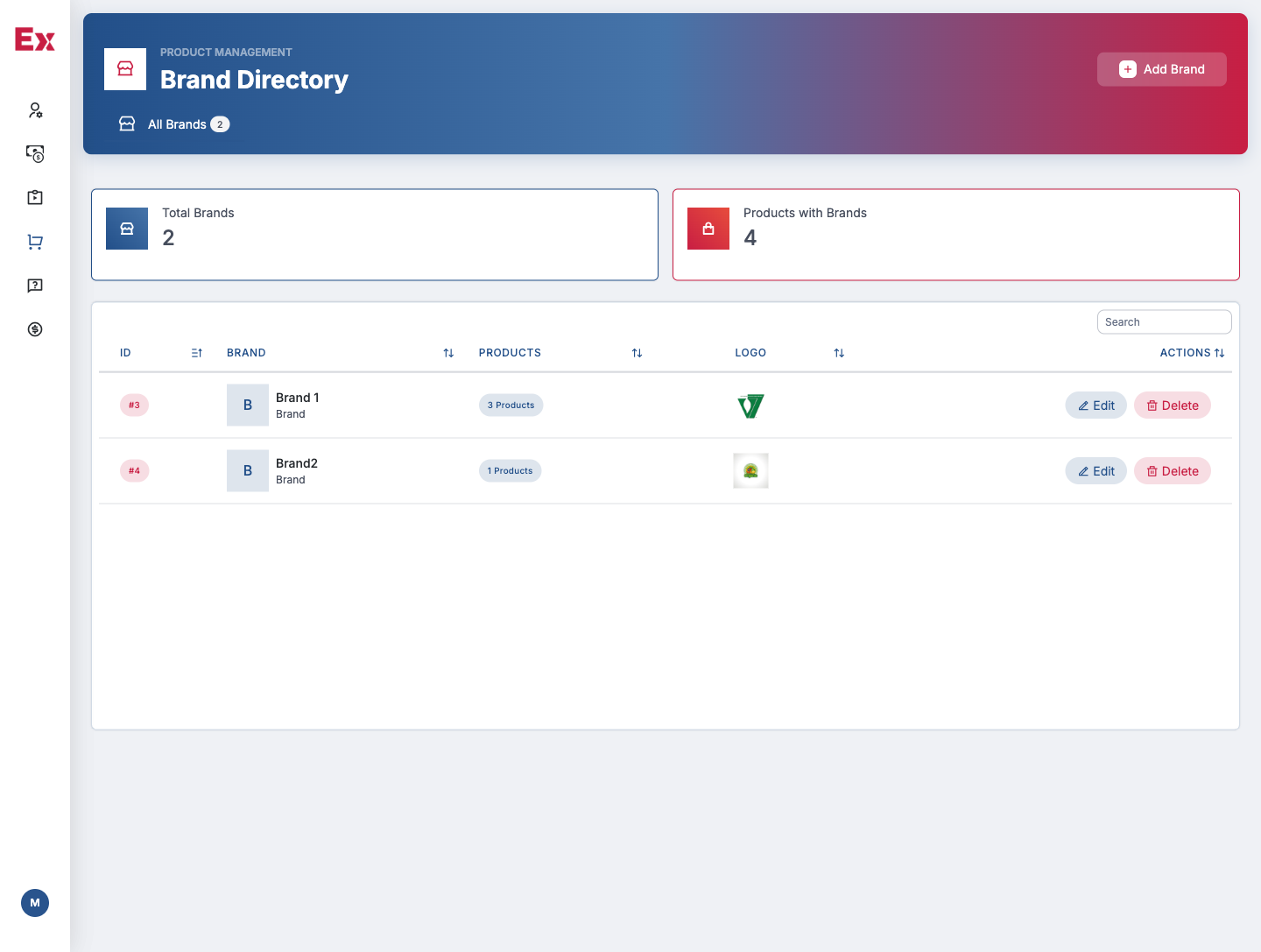
The brand directory ExCraft exports under — with logos, profile copy, country of origin and a per-brand product index the public site renders from.
- Brand profile with logo, copy and origin
- Per-brand product index on the storefront
- Country, certification and compliance fields
- Brand-level visibility and feature flags
Factories
The factory roster the team sources from — with contacts, certifications, capacity notes and a per-factory product history the procurement team uses every week.
- Per-factory contact, certifications and capacity
- Product history and lead-time tracking
- Internal-only commercial terms and notes
- Linked to the products and vendor-request tables
Vendor Requests
Every vendor onboarding request lands here — with submitted documents, internal review notes and an approve / reject flow that creates a vendor record when approved.
- Public vendor application form on the storefront
- Document upload, review and internal notes
- Approve / reject with audit trail
- Approved requests become vendor records automatically
Order Status
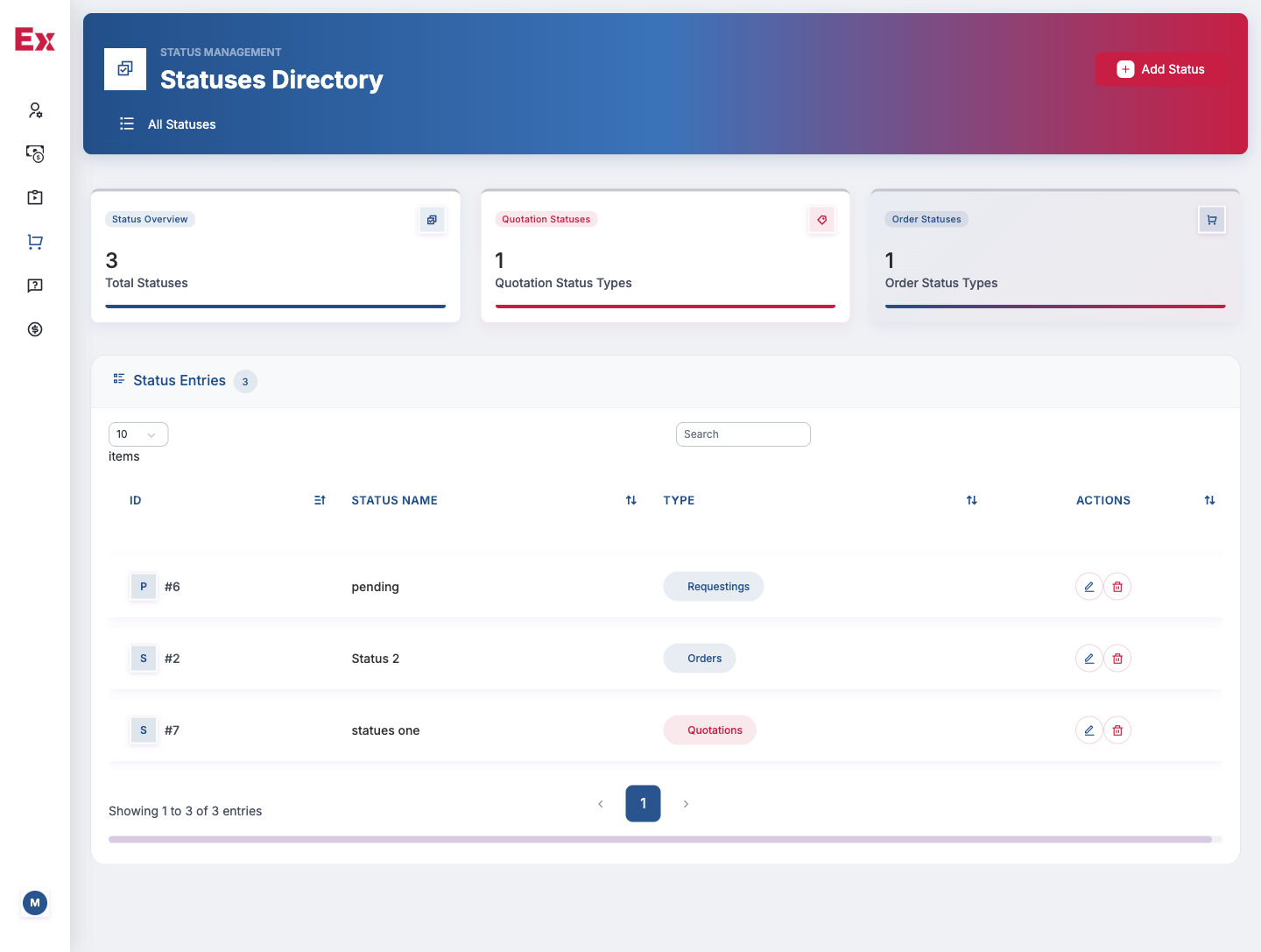
The full order pipeline — from placed to fulfilled to invoiced — with per-status filters, bulk actions and reconciliation back into the accounting module.
- Custom order statuses with transitions
- Bulk actions across selected orders
- Filter and export by date, status and vendor
- Reconciles into accounting income sources
Jump to another chapter
Need a ecommerce system like this?
We design and build website, LMS, ecommerce, accounting, consultation and CRM systems tailored to how your operation actually runs — not how a generic SaaS thinks it should.